














































SPMC new membership and app linking procedures

- ①New registration - New members of SPMC
- ② First time connection to the new app - Members who have already joined but have not yet registered online
- ③ First time connection to the new app: Members who have joined and registered online (if you know your membership number)
- ④ First time connecting to the new app - For members who have joined and registered online (if you do not know your membership number)
- ⑤ First login to the new app - Members who have already logged in for the first time on the new member website
- ⑥ First login to the new app - Customers who sign up for the new membership through the member website
- ⑦Logging in to the new app for the second time or later
①New registration - New members of SPMC
①New registration - New members of SPMC
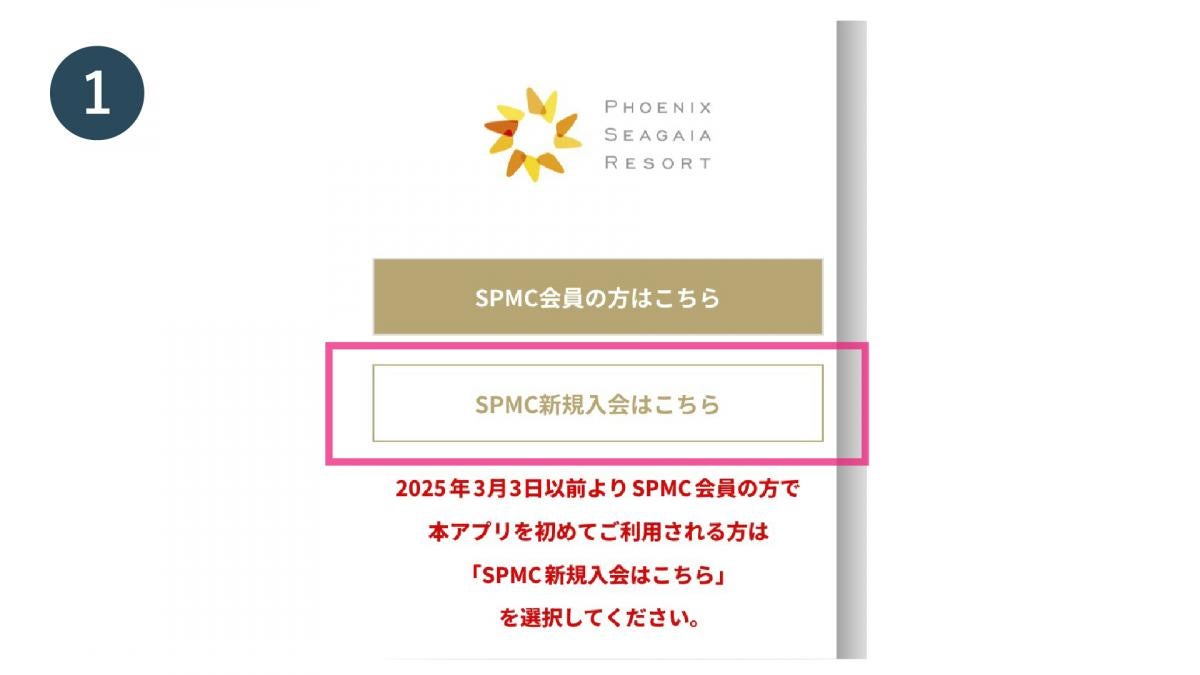
手順 1
Open the official SEAGAIA app and tap "Join SPMC here"
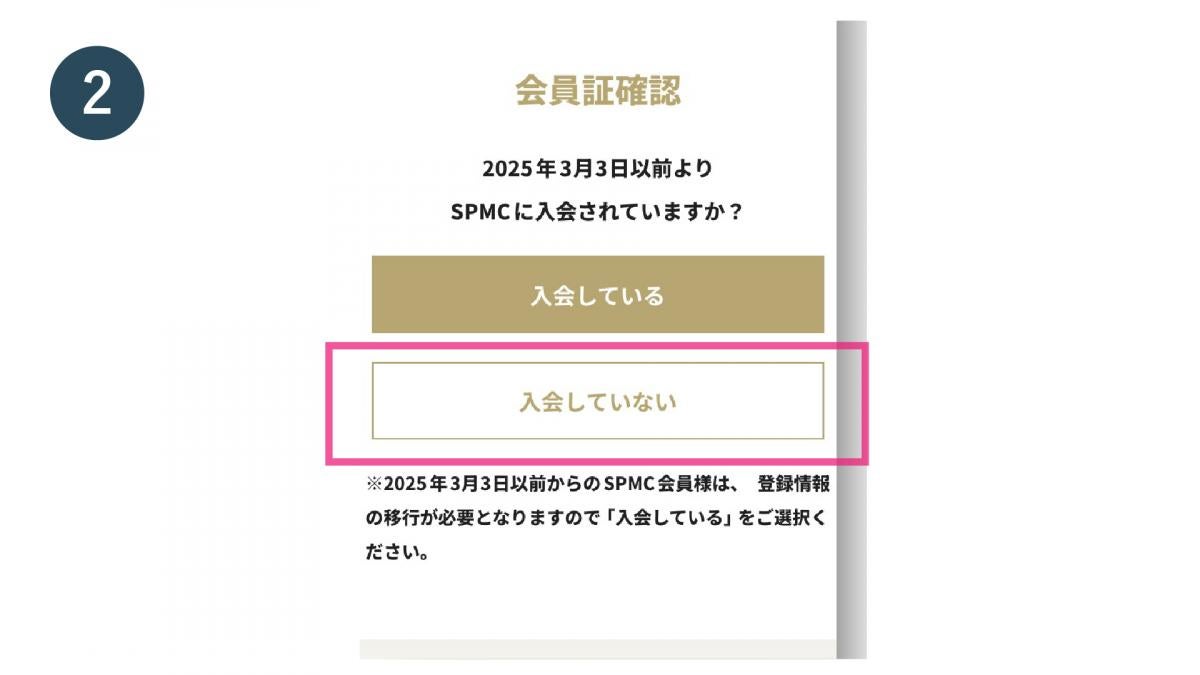
手順 2
Tap "Not a member"
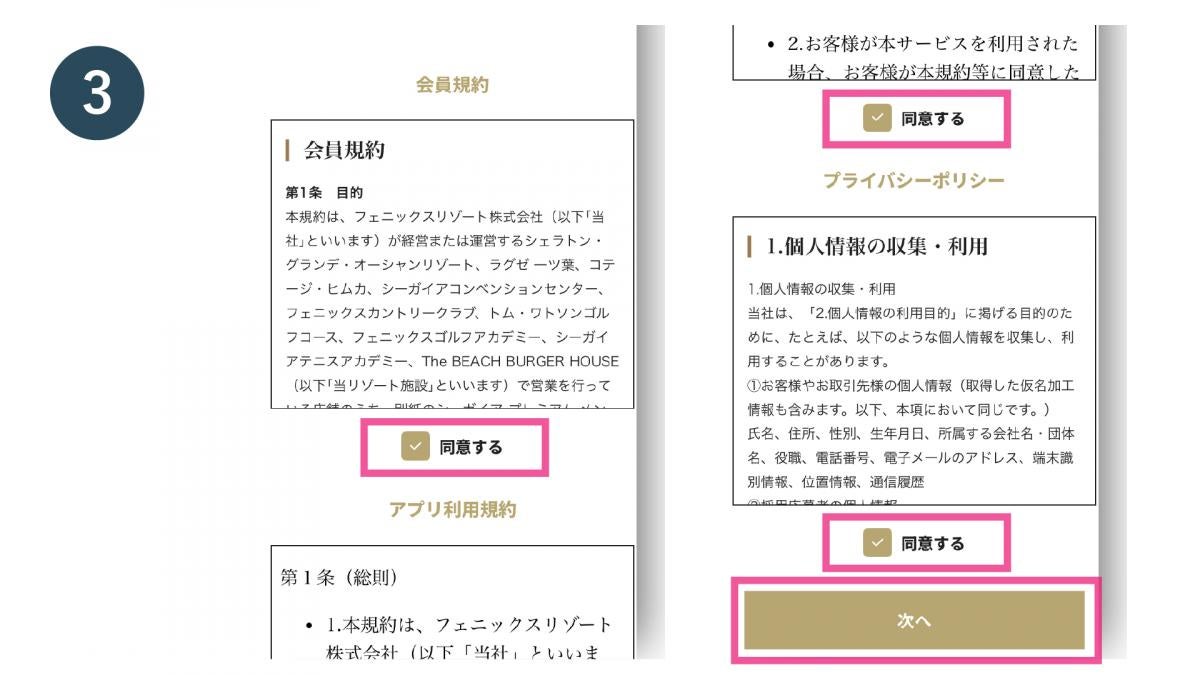
手順 3
Check the boxes to agree to each of the terms of use and tap "Next"
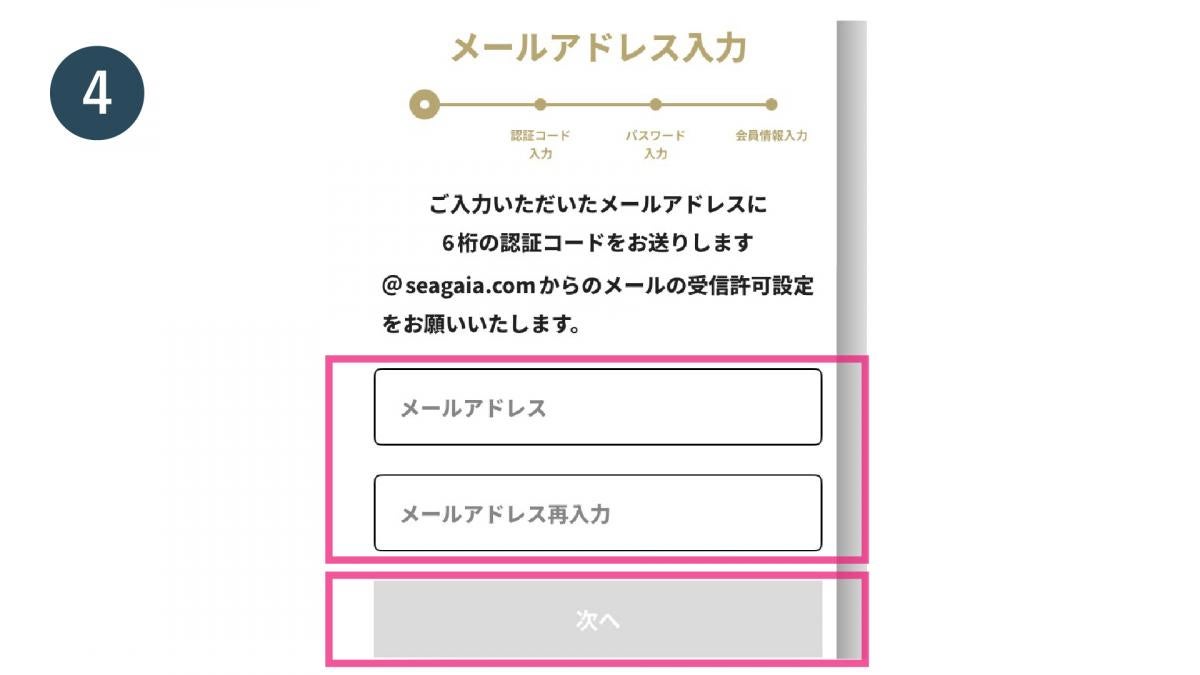
手順 4
Enter your email address and tap "Next"
手順 5
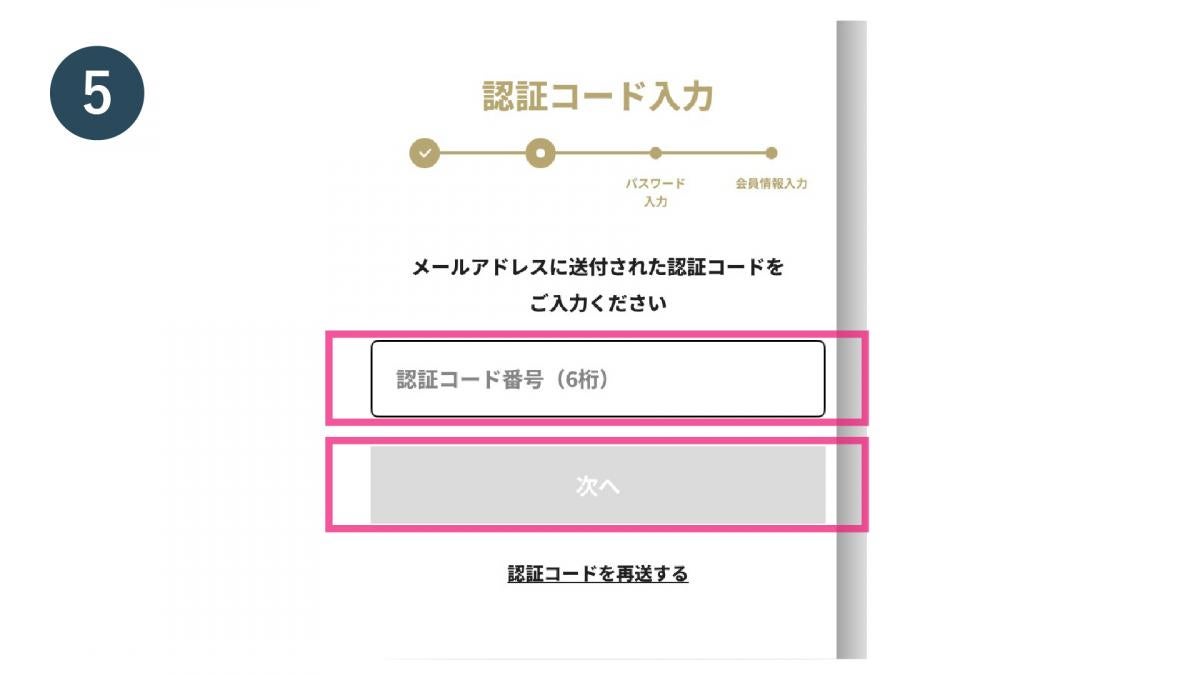
Enter the verification code sent to the email address you entered and tap "Next"
手順 6
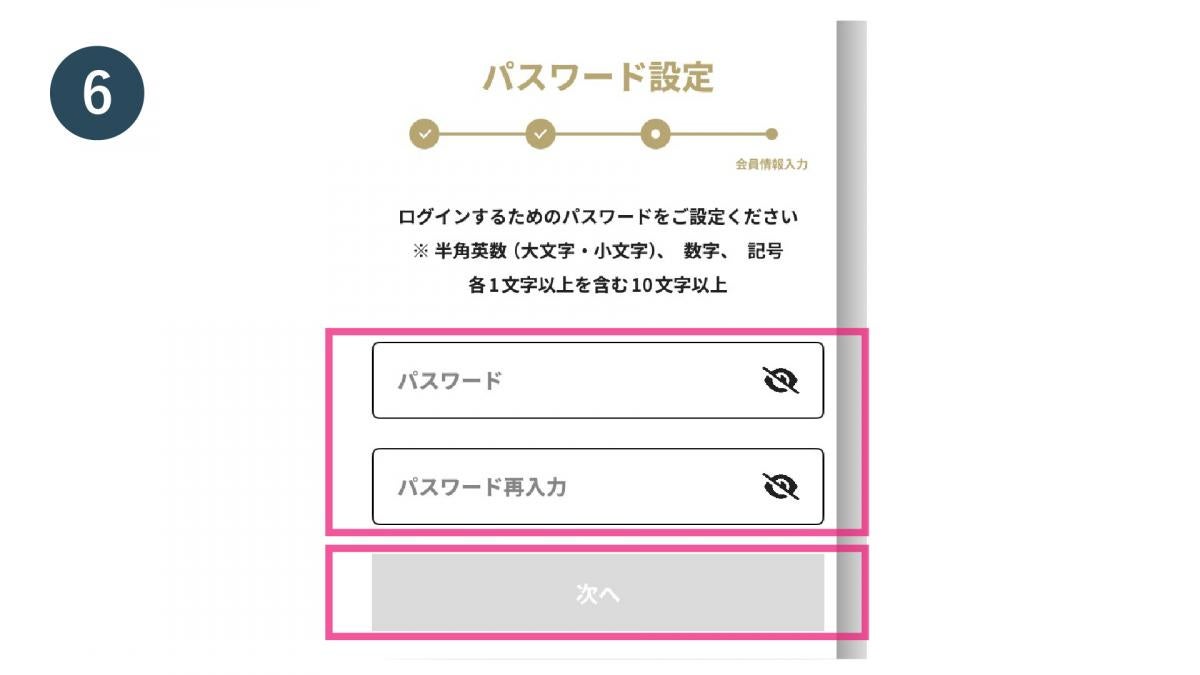
Set a password and tap "Next"
手順 7
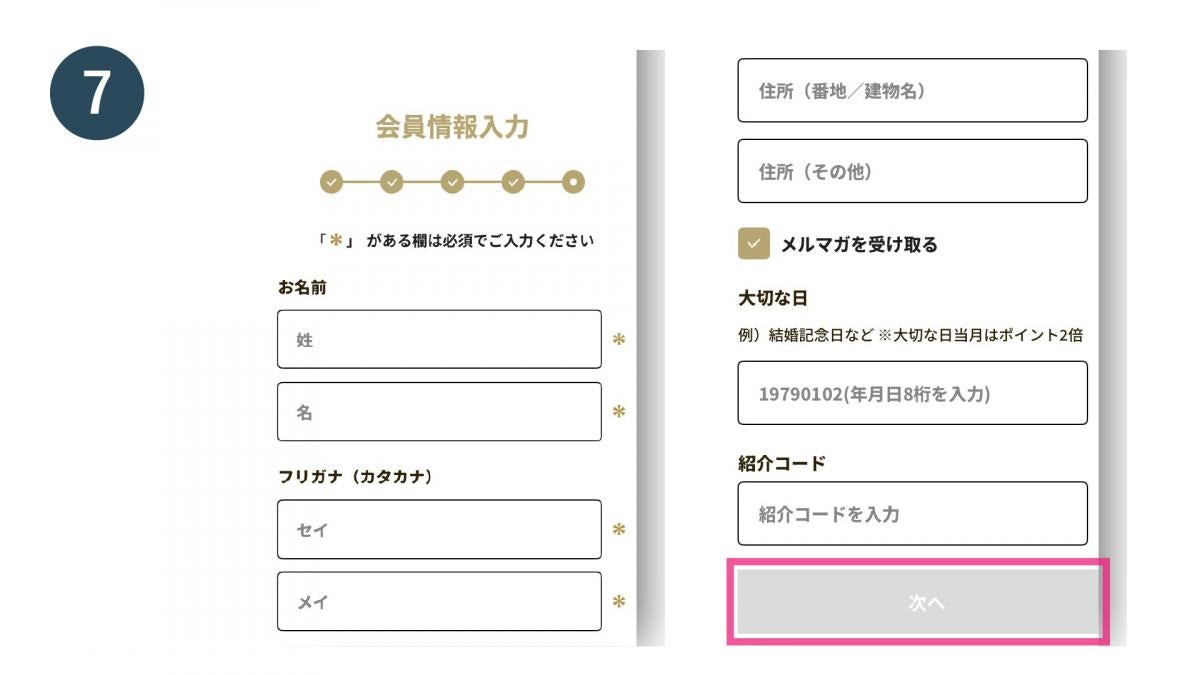
Enter your membership information and tap "Next"
手順 8
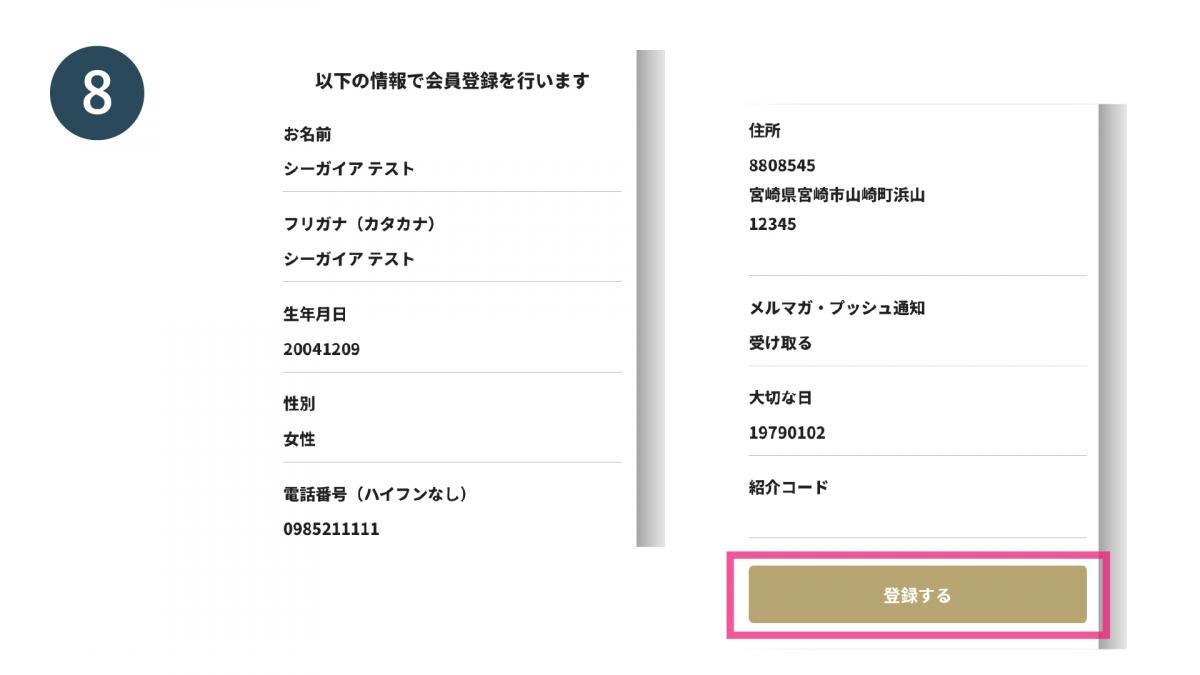
Check the registration details and tap "Register"
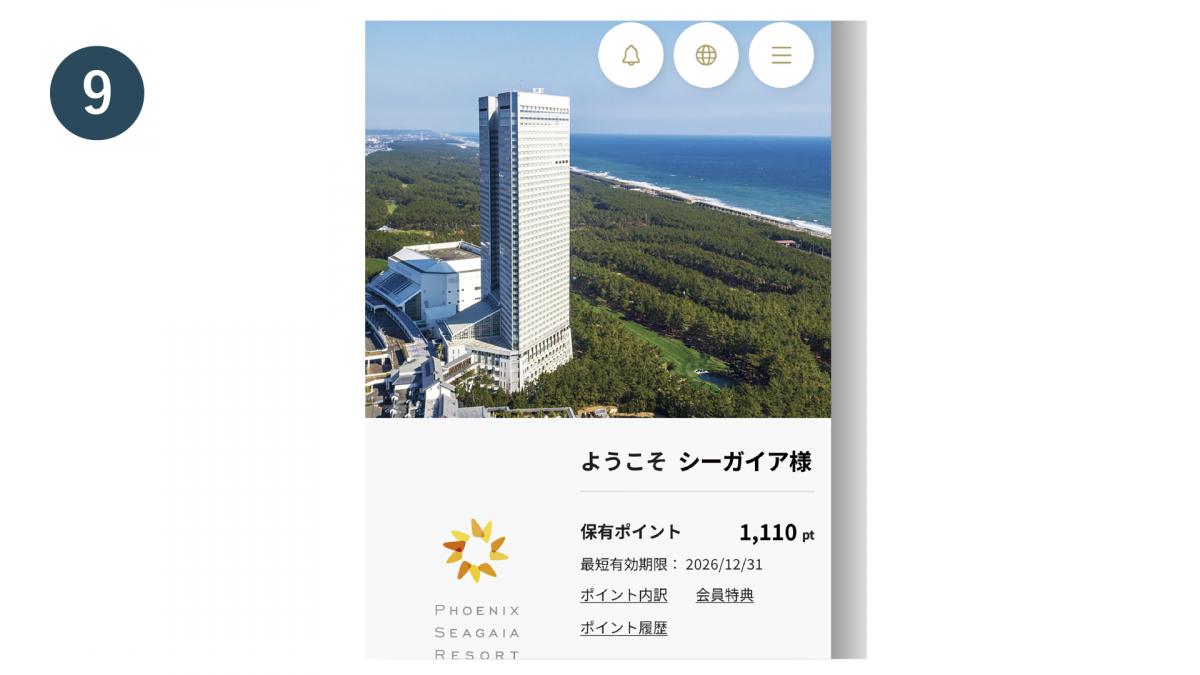
手順 9
Membership registration complete
② First time connection to the new app - Members who have already joined but have not yet registered online
② First time connection to the new app - Members who have already joined but have not yet registered online
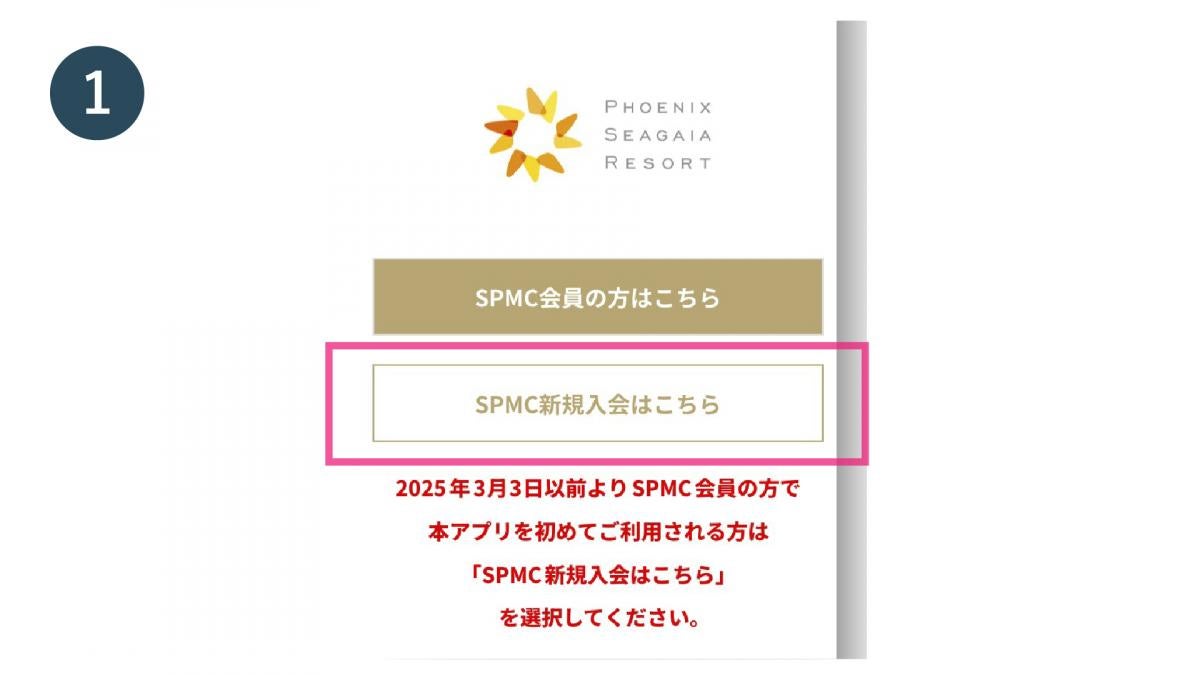
手順 1
Open the official SEAGAIA app and tap "Join SPMC here"
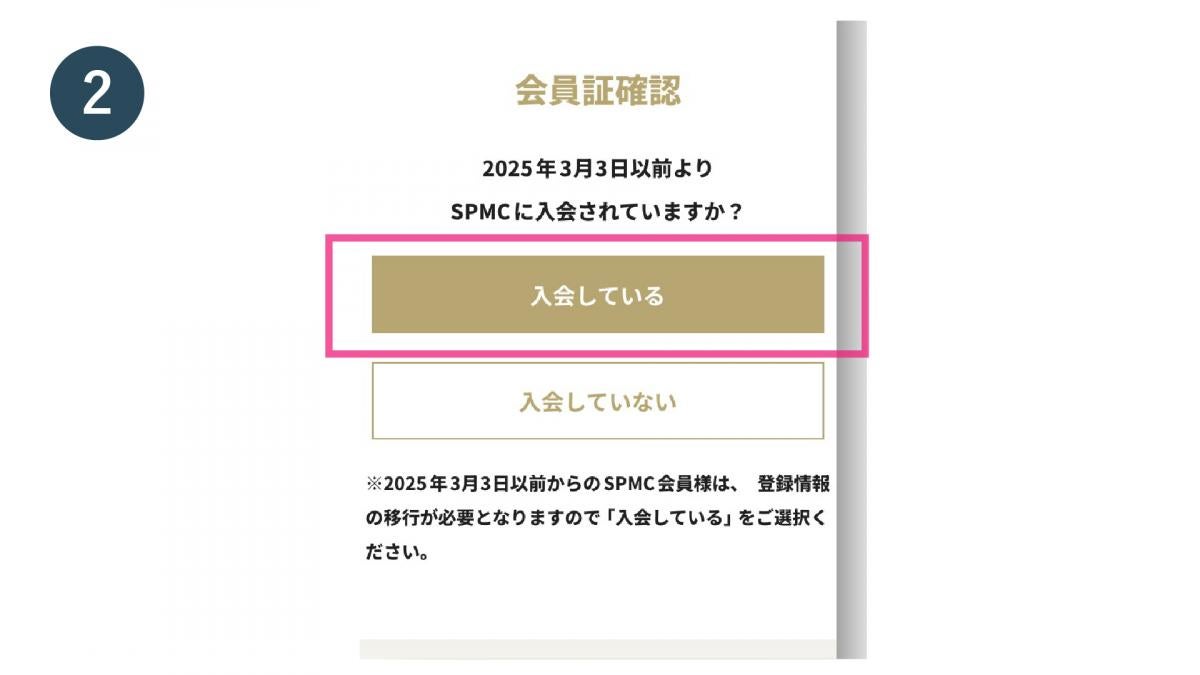
手順 2
Tap "I'm a member"
手順 3
Check the boxes to agree to each of the terms of use and tap "Next"
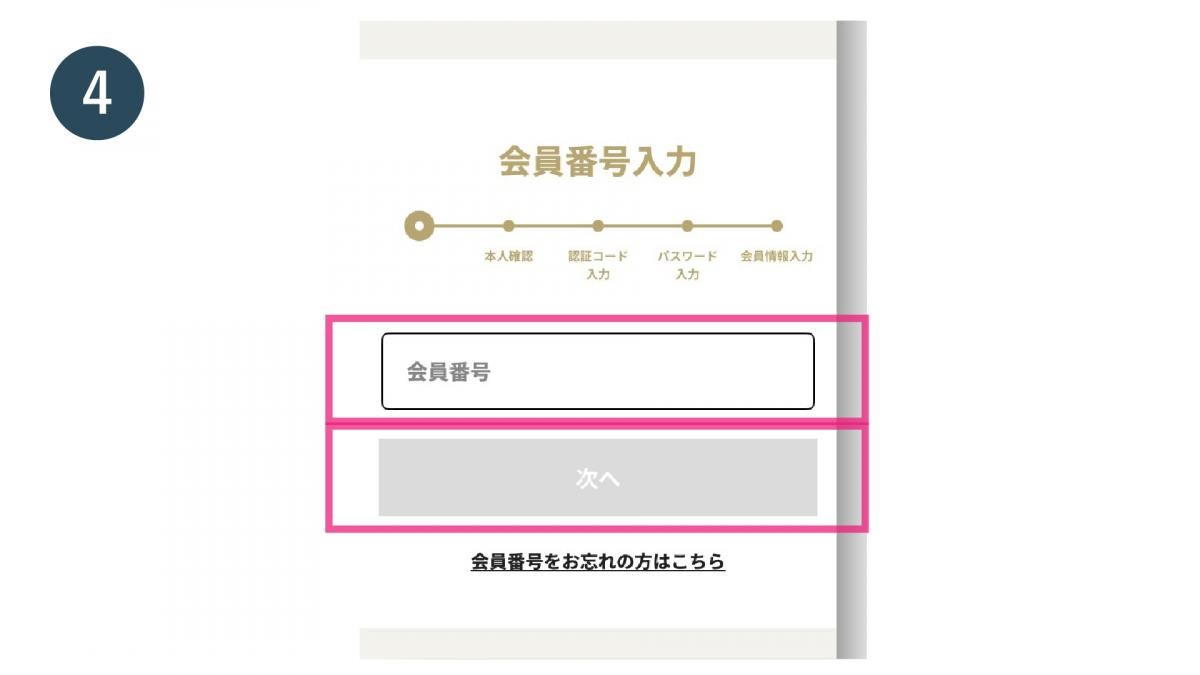
手順 4
Enter your membership number and tap "Next"

手順 5
Enter the 3-digit PIN code printed on the back of your SPMC membership card and tap "Next"
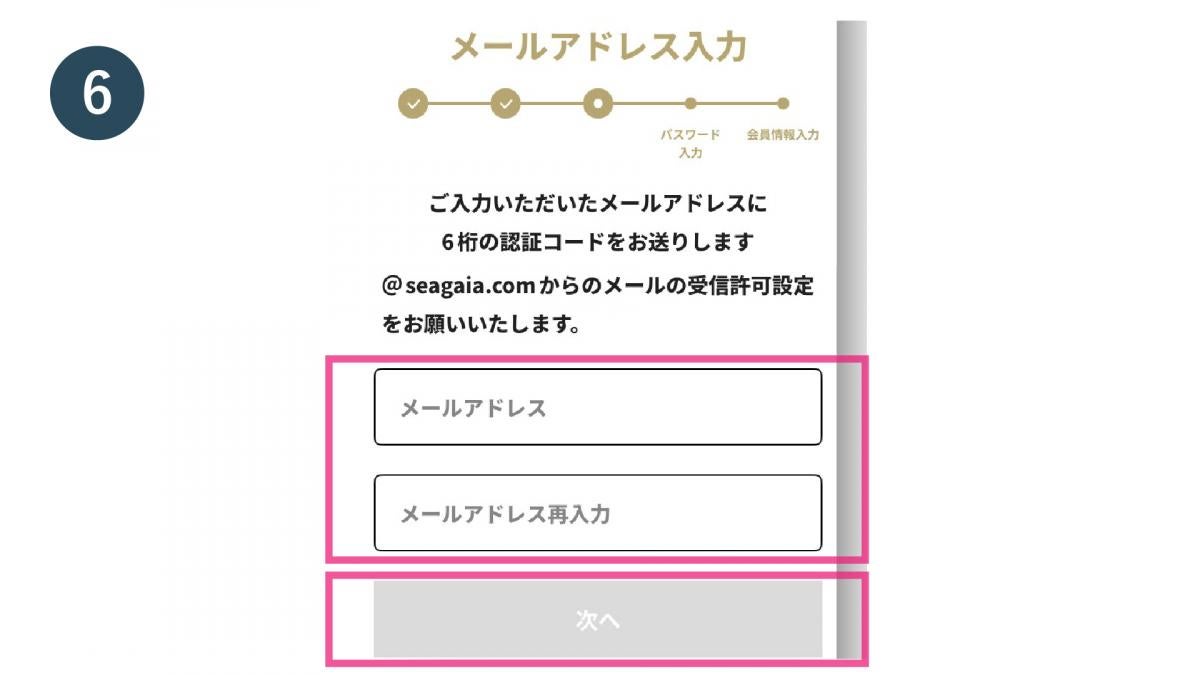
手順 6
Enter your email address and tap "Next"
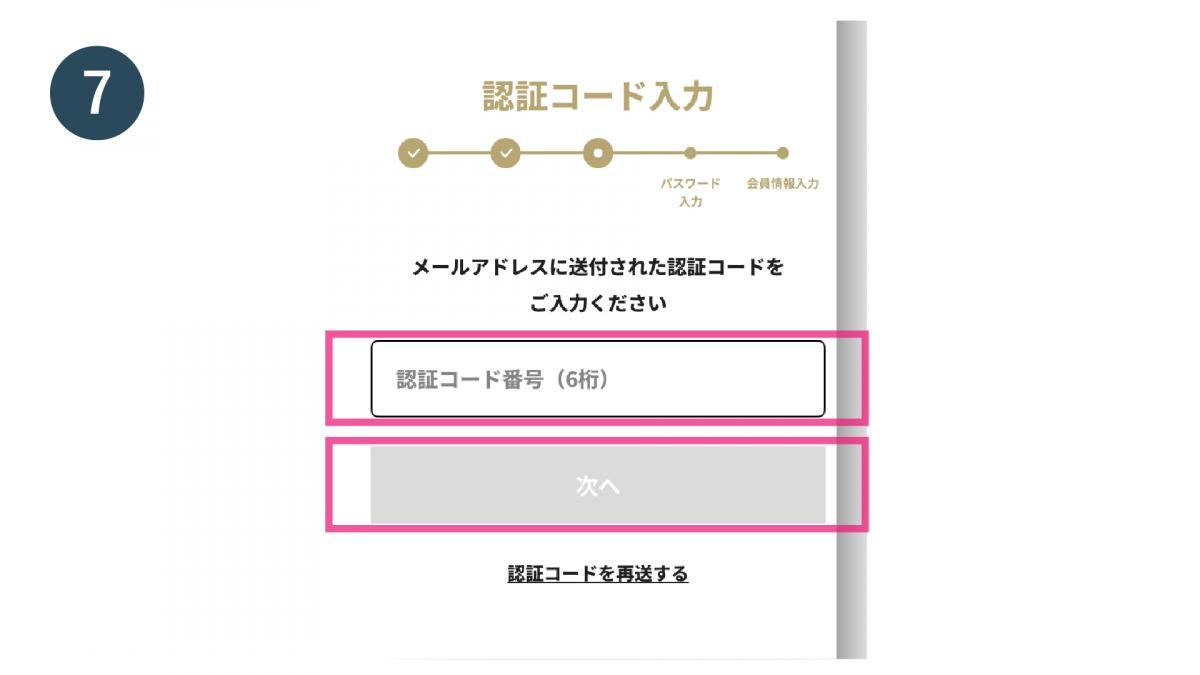
手順 7
Enter the verification code sent to your email address and tap "Next"
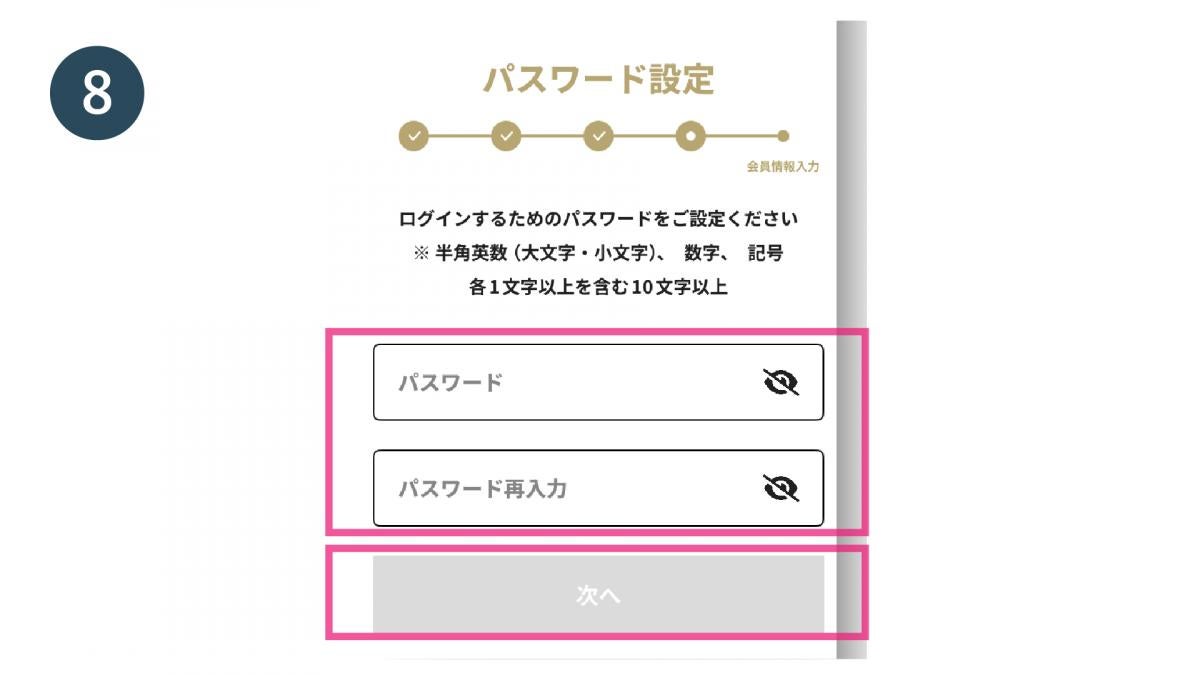
手順 8
Set a password and tap "Next"
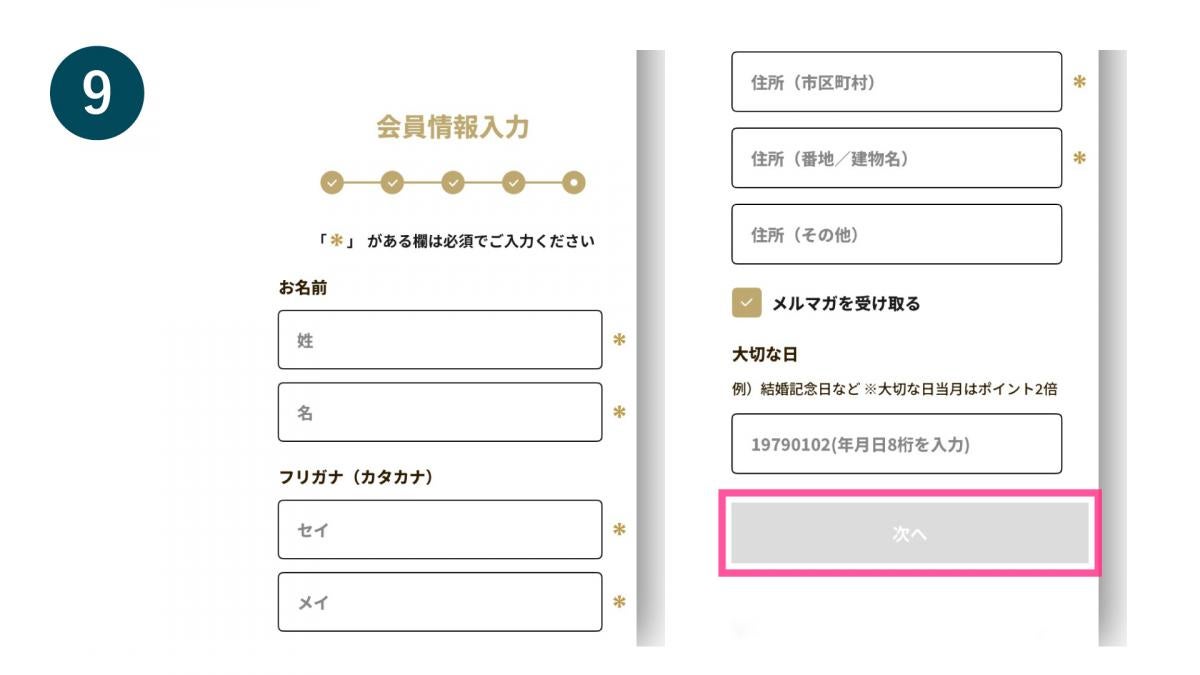
手順 9
Confirm and enter your membership information and tap "Next"
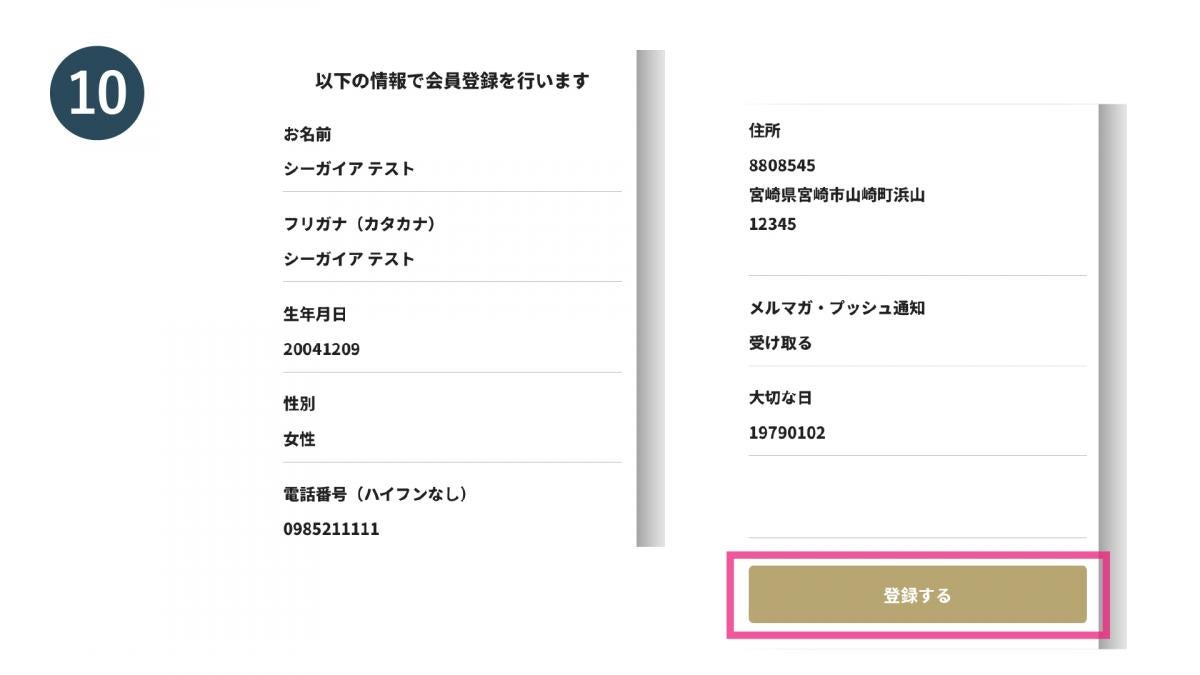
手順 10
Check the details and tap "Register"
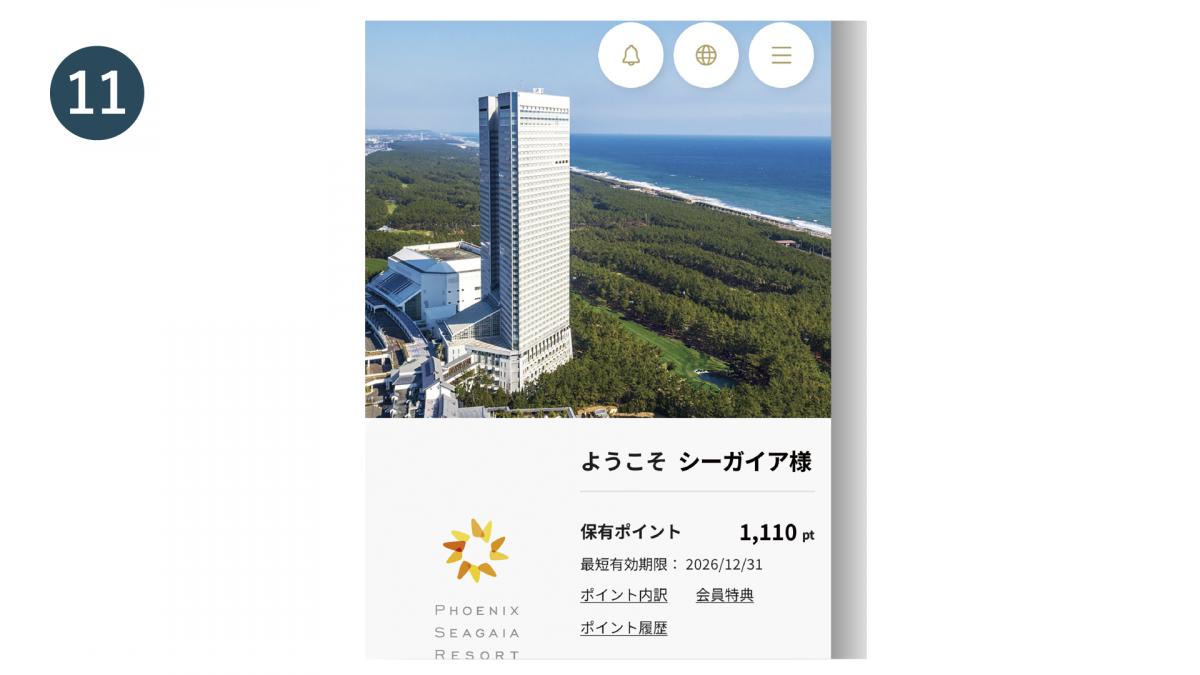
手順 11
First connection completed for new app
③ First time connection to the new app: Members who have joined and registered online (if you know your membership number)
③ First time connection to the new app: Members who have joined and registered online (if you know your membership number)
手順 1
Open the official SEAGAIA app and tap "Join SPMC here"
手順 2
Tap "I'm a member"
手順 3
Check the boxes to agree to each of the terms of use and tap "Next"
手順 4
Enter your membership number and tap "Next"
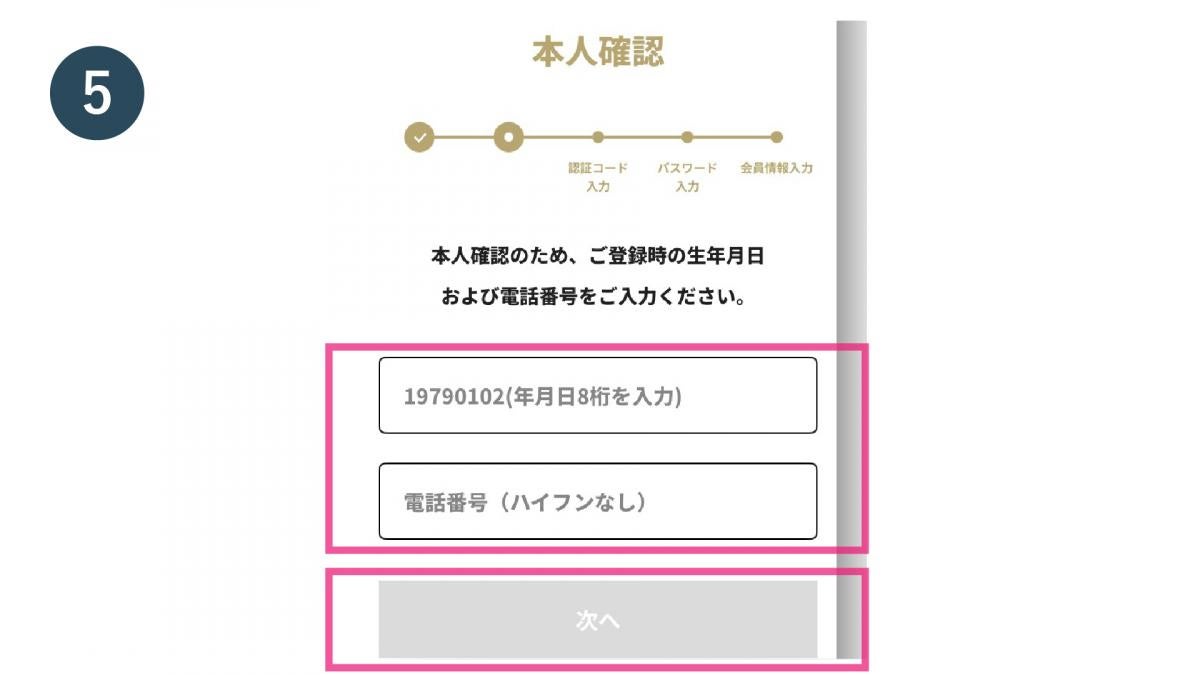
手順 5
To verify your identity, enter your registered date of birth and phone number, then tap "Next."
手順 6
Enter your email address and tap "Next"
手順 7
Enter the verification code sent to your email address and tap "Next"
手順 8
Set a password and tap "Next"
手順 9
Confirm and enter your membership information and tap "Next"
手順 10
Check the details and tap "Register"
手順 11
First connection completed for new app
④ First time connecting to the new app - For members who have joined and registered online (if you do not know your membership number)
④ First time connecting to the new app - For members who have joined and registered online (if you do not know your membership number)
手順 1
Open the official SEAGAIA app and tap "Join SPMC here"
手順 2
Tap "I'm a member"
手順 3
Check the boxes to agree to each of the terms of use and tap "Next"
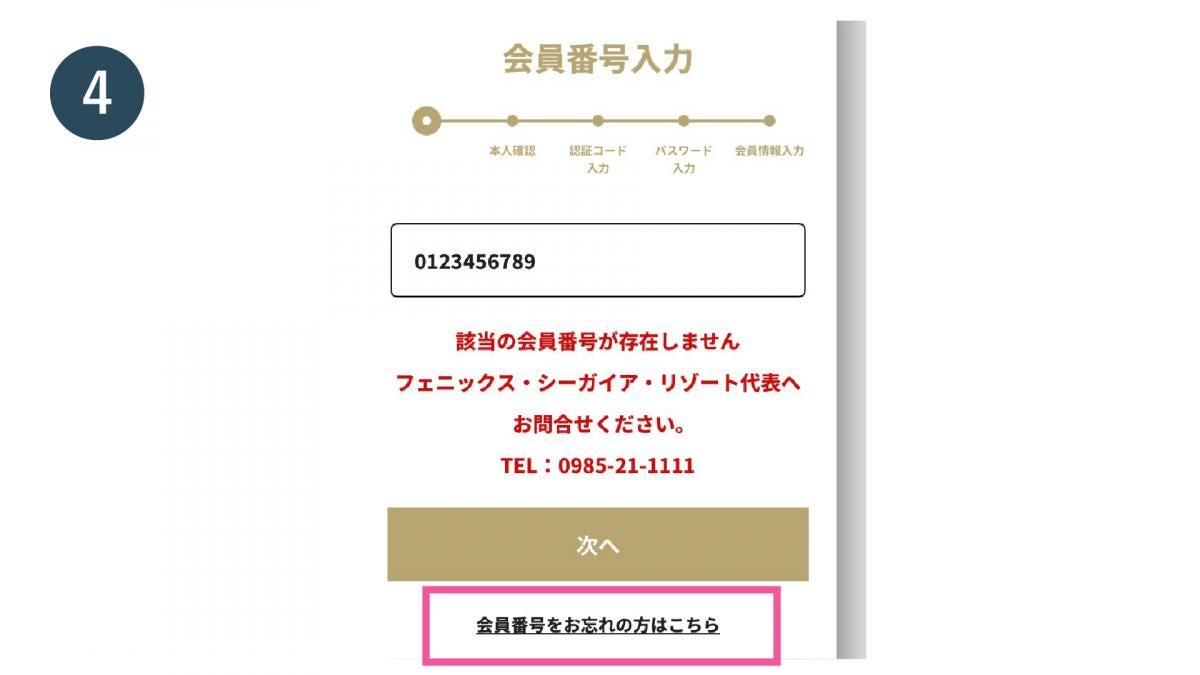
手順 4
Click here if you have forgotten your membership number.
手順 5
To verify your identity, enter your registered date of birth and phone number, then tap "Next."
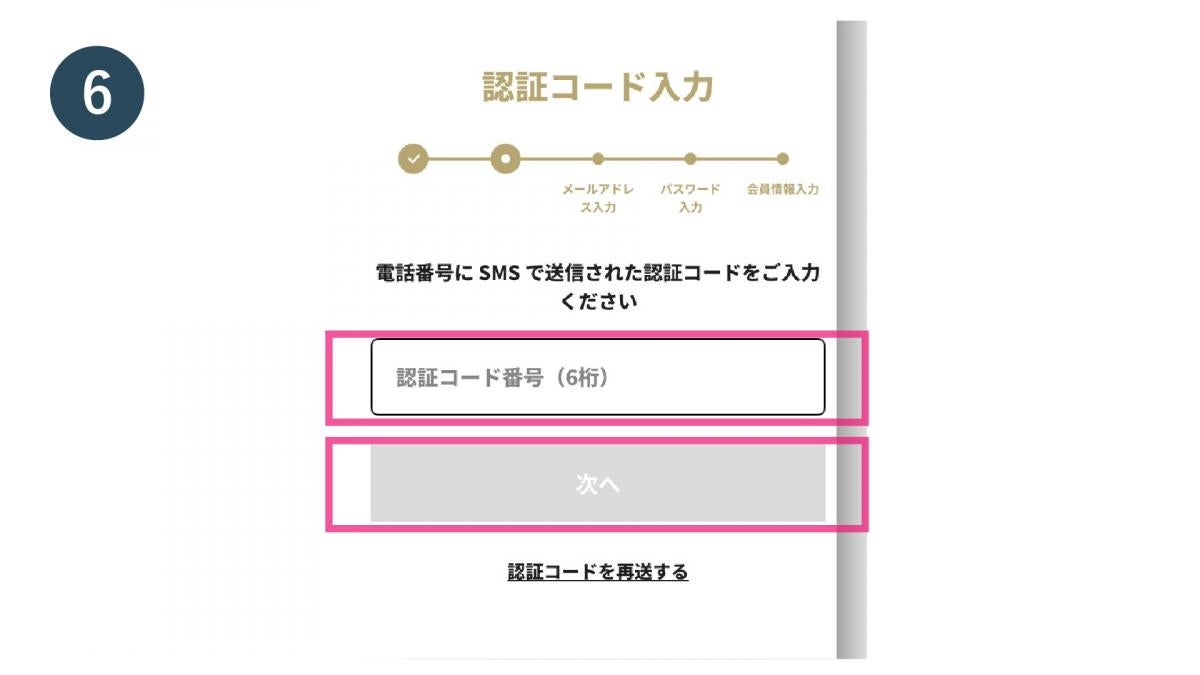
手順 6
Enter the verification code sent to your registered phone number and tap "Next"
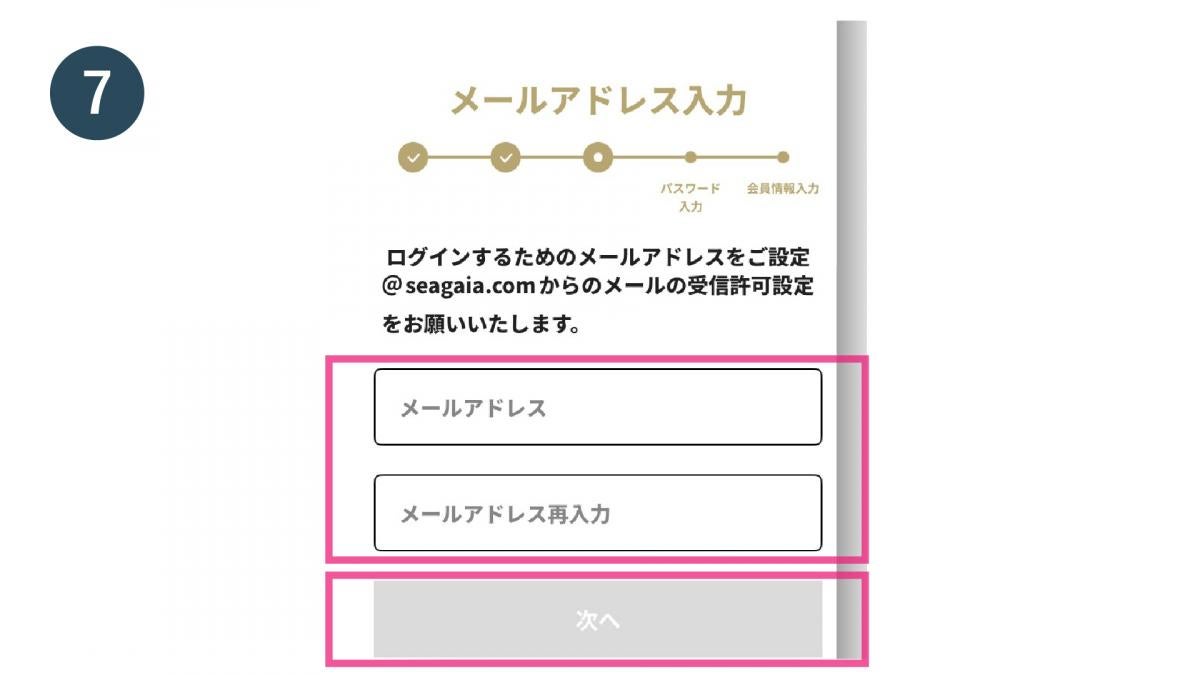
手順 7
Enter your email address and tap "Next"
手順 8
Set a password and tap "Next"
手順 9
Confirm and enter your membership information and tap "Next"
手順 10
Check the details and tap "Register"
手順 11
First connection completed for new app
⑤ First login to the new app - Members who have already logged in for the first time on the new member website
⑤ First login to the new app - Members who have already logged in for the first time on the new member website
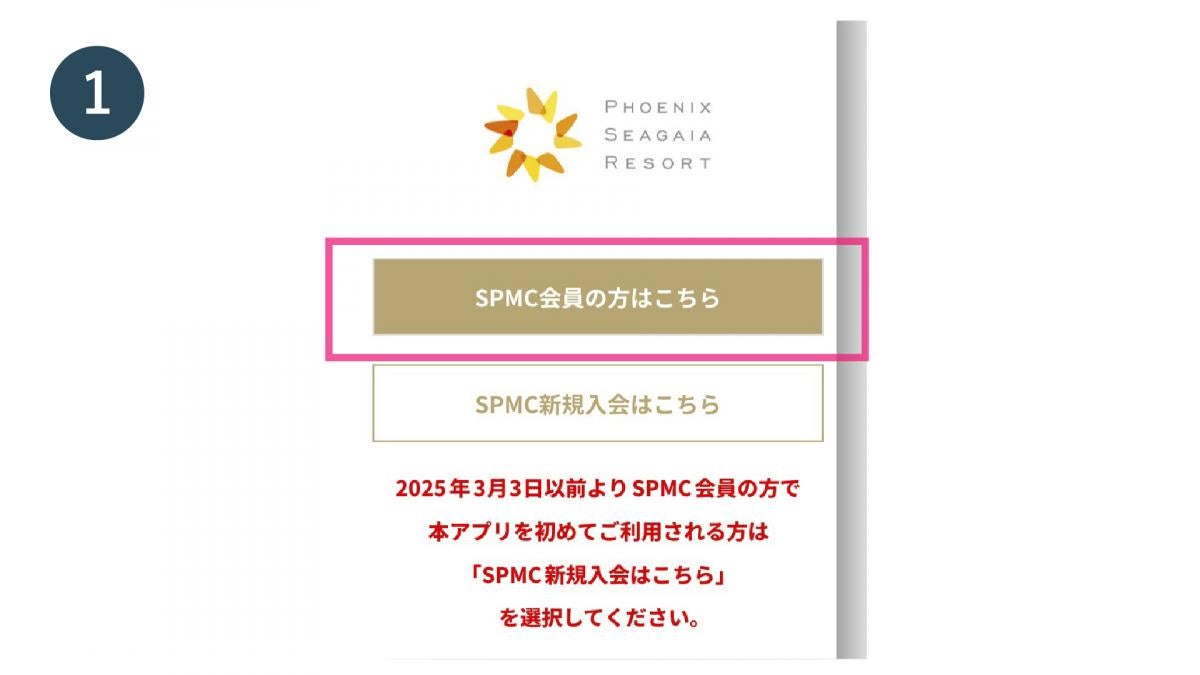
手順 1
Open the official SEAGAIA app and tap "SPMC members click here"
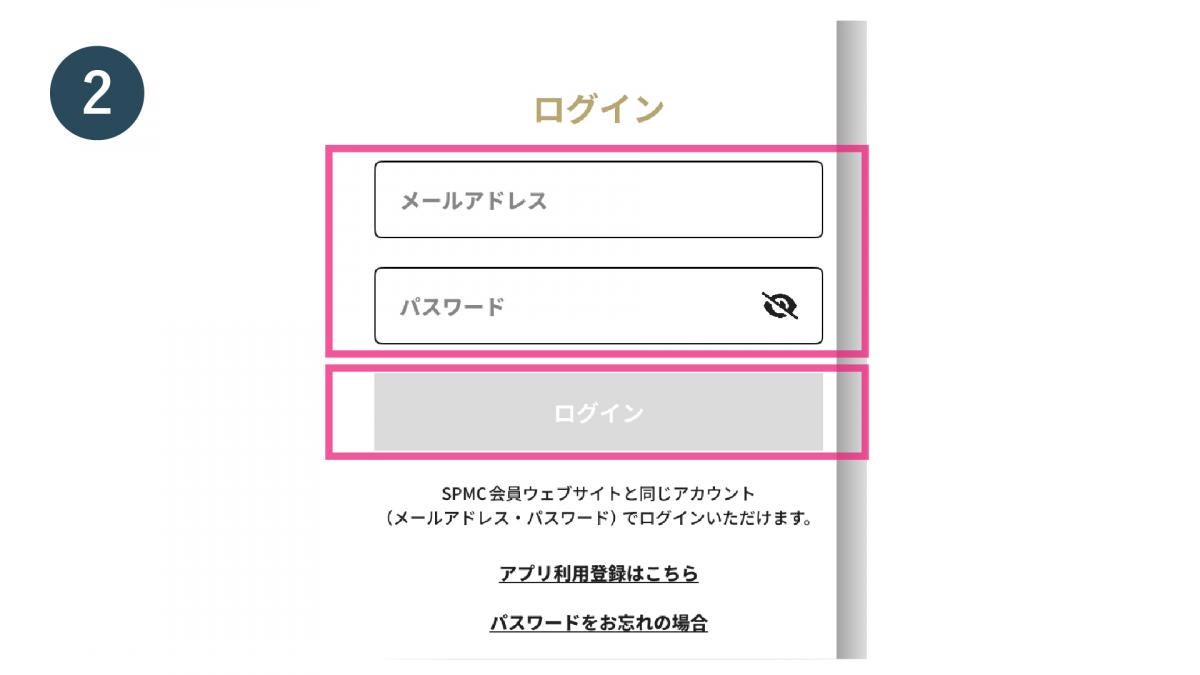
手順 2
Enter your email address and password and tap "Login"
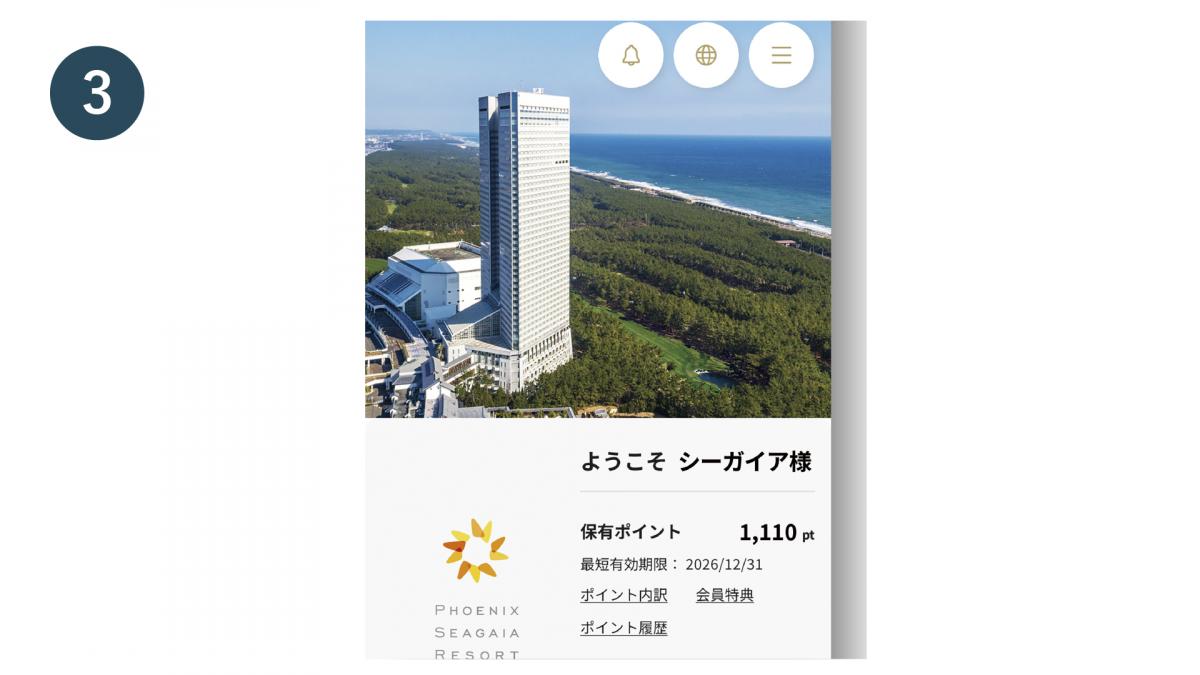
手順 3
Login complete
⑥ First login to the new app - Customers who sign up for the new membership through the member website
⑥ First login to the new app - Customers who sign up for the new membership through the member website
手順 1
Open the official SEAGAIA app and tap "SPMC members click here"
手順 2
Enter your email address and password and tap "Login"
手順 3
Login complete
⑦Logging in to the new app for the second time or later
⑦Logging in to the new app for the second time or later
手順 1
Open the official SEAGAIA app and tap "SPMC members click here"
手順 2
Enter your email address and password and tap "Login"
手順 3
Login complete
Please click here for the linking procedure on the WEB (SPMC member site)