















































*To use the official SEAGAIA app, you must register as a member of SPMC (no joining fee or annual fee).
New membership and linking procedures
Please check here for procedures for new membership, initial linking, initial login, etc.
Download the official SEAGAIA app here▼
Click here for the App Store
Google Play is here
Click here for app operation instructions▶
For instructions on the WEB (SPMC member site), please see here▶
Downloads/Updates
[For those who already have the official SEAGAIA app]
It will be updated after the update, so there is no need to download it again.
Please log in for the first time.
First time login procedure
[For those who only have an SPMC membership card]
・If you have already registered online...You can continue to use your membership card, but if you lose it, it will not be reissued.
We recommend linking and using it in conjunction with the official SEAGAIA app or member site (membership card).
How to link the app
・If you are not registered online... Please link to the official SEAGAIA app or member site and register online.
*Membership cards that have not been used since they were issued will be invalid after Tuesday, March 4, 2025.
Click here for app linking and web registration methods
[First-time visitors]
Download the official SEAGAIA app here▼
Click here for the App Store
Google Play is here
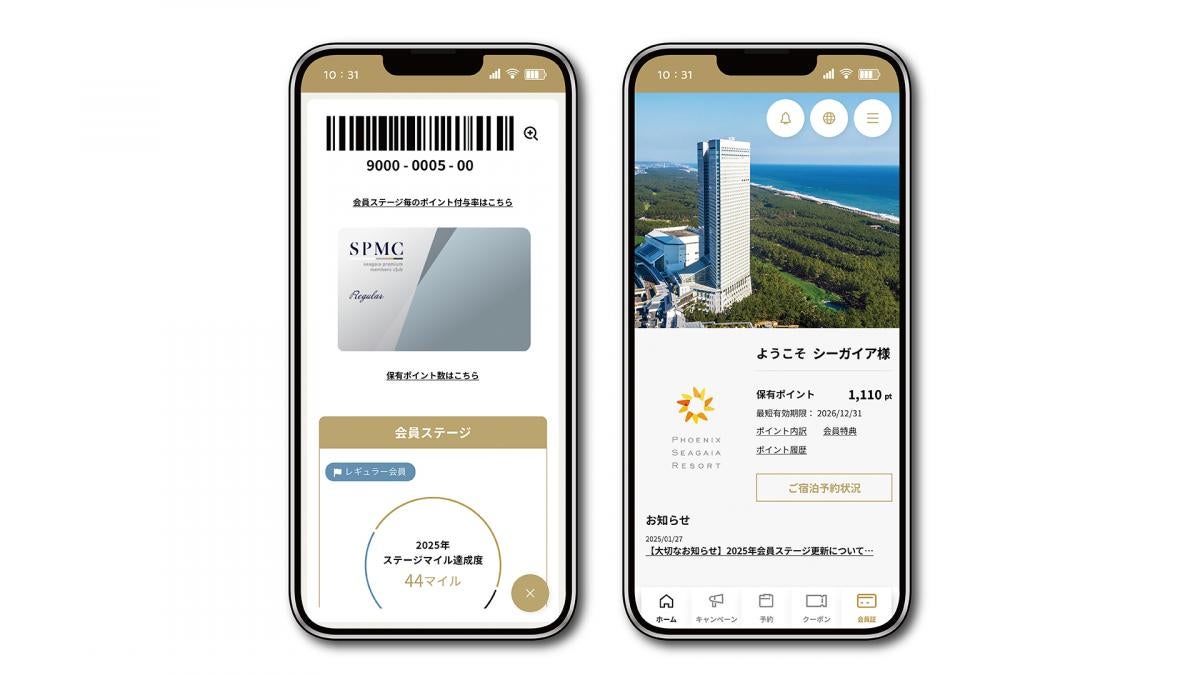
Renewal points/Main features of the app
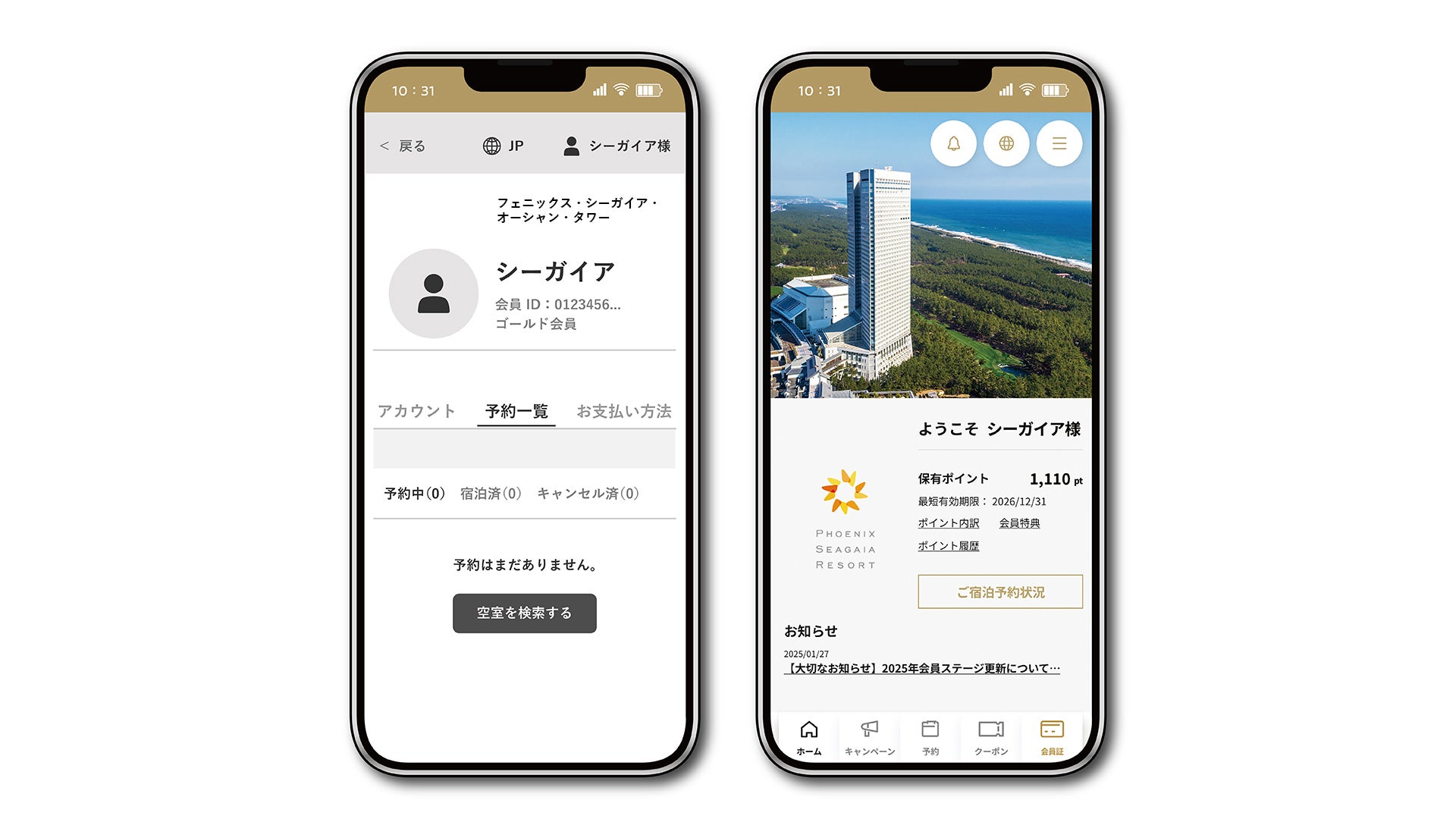
You can check, change, or cancel your reservation details on your accommodation reservation page.
*Only member-exclusive plans made via the app or member site after March 4, 2025 will be displayed on your accommodation reservation My Page. For other reservations, please check your reservation confirmation email.
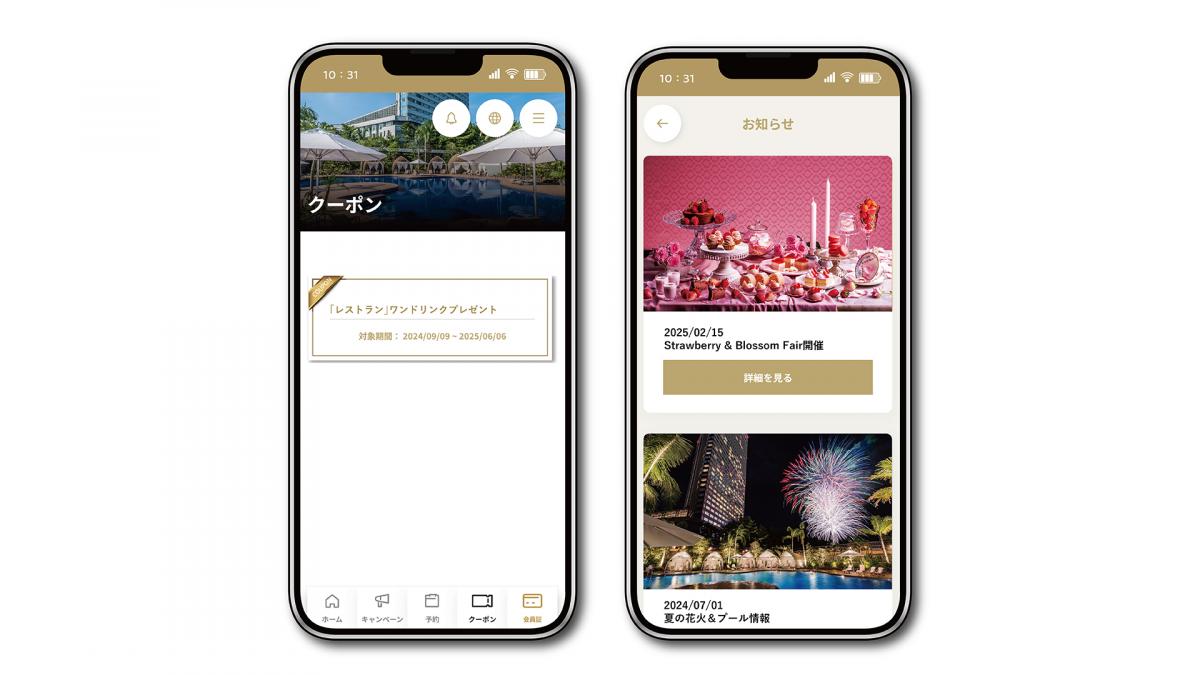
The notification feature allows you to be the first to receive special deals and coupons available only through the app. Take advantage of great deals on accommodations, restaurants, and more.
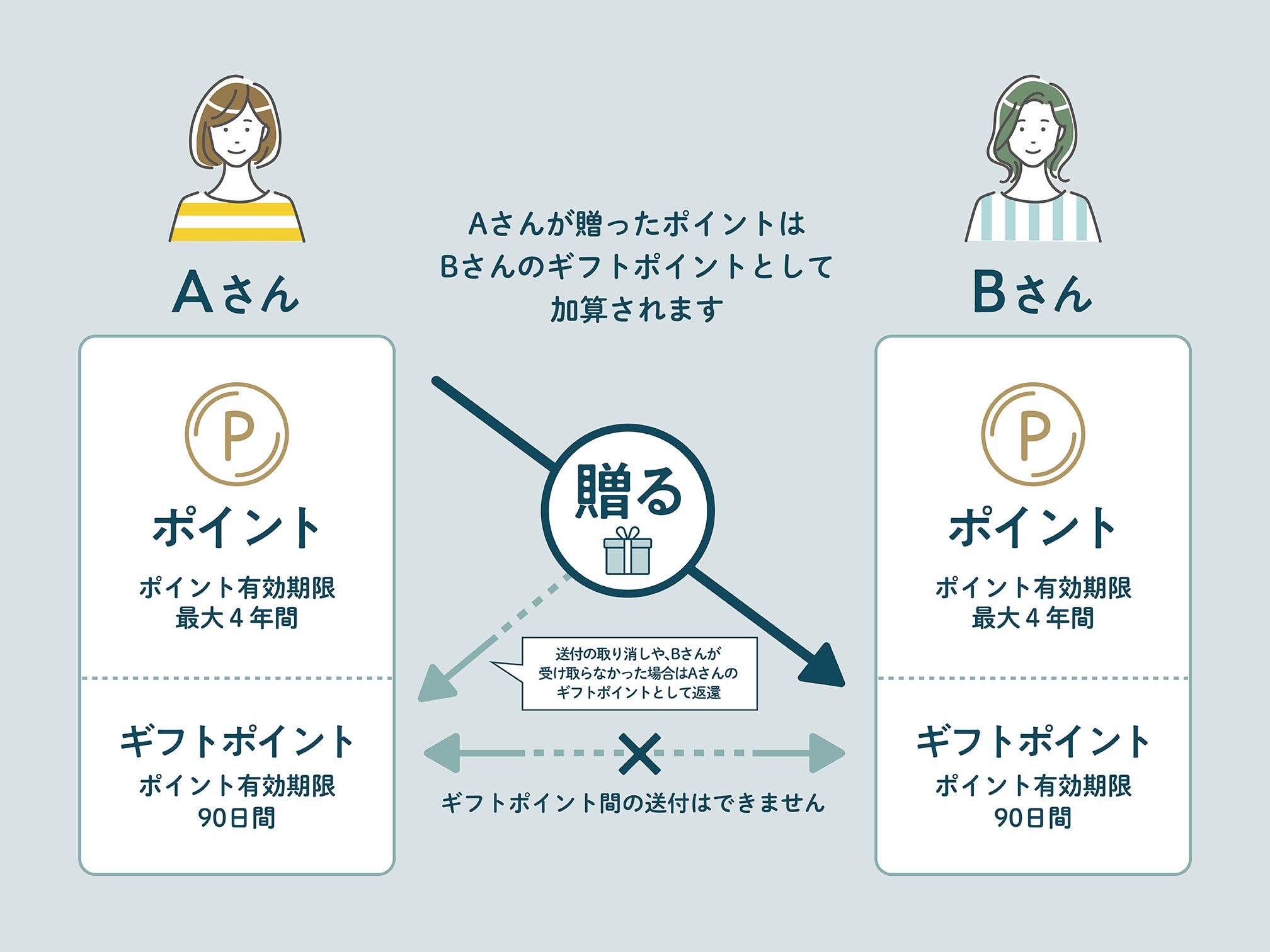
In addition to using and exchanging points, new gift points exclusive to SEAGAIA official app have been introduced! Members can send and receive points from one another starting from just one point. Received points can be used at participating stores.
*Conditions apply
Click here for stores eligible for point payment
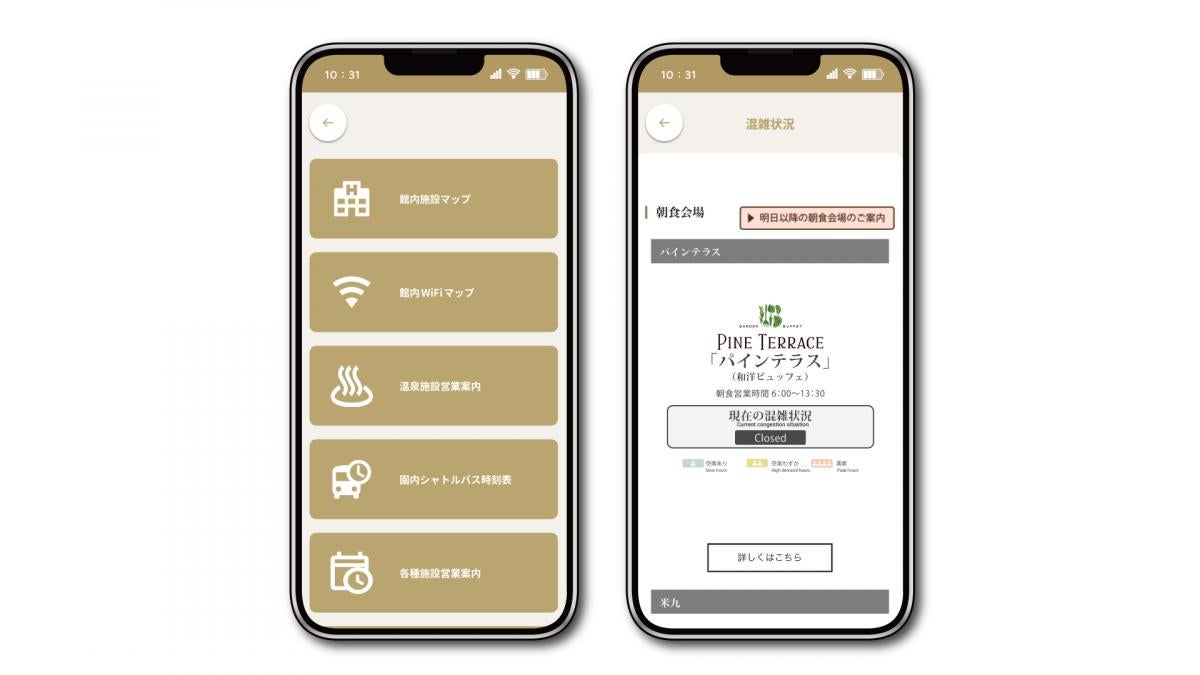
You can check the occupancy status of restaurants, hot springs, pools, spas, etc. to minimize waiting times and enjoy a comfortable stay.
*Only available at PHOENIX SEAGAIA OCEAN TOWER.
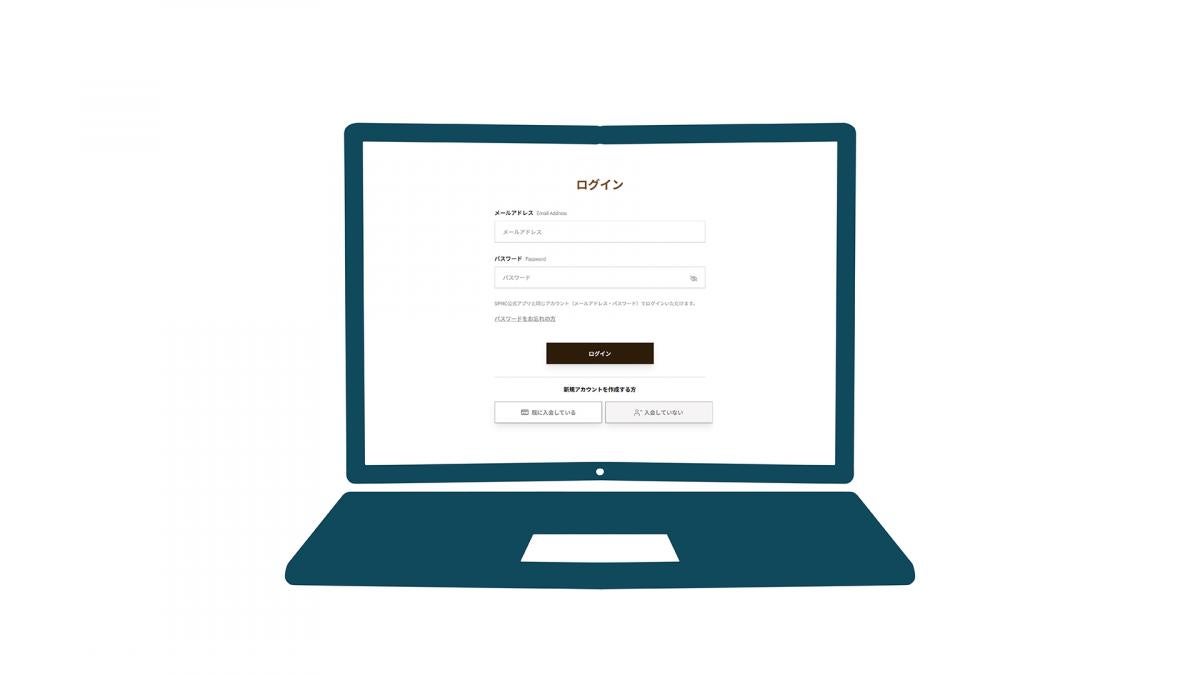
You can now join SPMC through the member site.
*To use SPMC member benefits and services, you will need to present your SEAGAIA official app membership card.
Changes and Features
| New official app and membership site | Old official app & member site | |
|---|---|---|
| Shared email address registration | Only one account can be registered per email address. | You can register using one shared email address |
| Important Day | ・Number of registrations: 1 ・Changes to important dates: Members cannot change their own dates after registration. | ・Number of registrations: Maximum 10 ・Changes to important dates: Members can freely change them |
| Password Setting Rules | 10 or more characters, including at least one half-width alphanumeric character (uppercase and lowercase), number, and symbol | At least 8 alphanumeric characters, including uppercase and lowercase letters |
| New official app and membership site | Old official app & member site | |
|---|---|---|
| How to log in to the official SEAGAIA app | Email address (used as login ID) + password | ①Membership number / ②Email address + date of birth / ③Phone number + date of birth |
| Member site login method | Email address (used as login ID) + password | Membership number + password |
| New official app and membership site | Old official app & member site | |
|---|---|---|
| The name of the "Value Points" that can be accumulated and used | point | Value Points |
| The name of the "Premium Points" that measure your stage | Stage Mile | Premium Points |
| Points expiration date | Valid for four years, including the current fiscal year | All points earned in a year (January to December) are valid for four years, including the current year. |
| Coupon and campaign point expiration dates | It will be set accordingly | |
| Gift points expiration date | 90 days including the date of receipt | - |
| New official app and membership site | Old official app & member site | |
|---|---|---|
| Membership stage name | Regular, Gold, Platinum | Regular, Gold, Platinum |
| First-time and repeat customer benefits | Ends on Monday, March 3, 2025 | Earn double points for every purchase at participating stores within 30 days of your first purchase. |
| Double points on important days | On special days in the current month, you can receive double points when you shop at participating stores that offer double points on birthdays and special days. Target stores are Click here▶ | During the week before and after your special day, you can use the store for first-time and repeat customer benefits. Get double the value points |
| Double points during your birthday month | Earn double points when you shop at participating stores that offer double points on birthdays and special occasions. * The BEACH BURGER HOUSE has been newly added to the list of participating stores. | Get double the value points when using for the first time or at participating stores with repeat benefits. |
| Restrictions on installment payments for accommodation | Stage Miles/Points will be awarded to only one person paying the bill | No restrictions |
| Joining from the member site | You can join from the member site *You must present your membership card when using SPMC member benefits and services. * App-only features cannot be used. | Not eligible for membership |
| Membership cards that have not been registered online and have no usage history | Membership cards that have not been registered online and have not been used by March 3, 2025 will be invalid. | available |
| New official app | Old official app | |
|---|---|---|
| Check-in pre-registration Smart checkout feature | abolition | available |
| New official app | Old official app | |
|---|---|---|
| Coupon feature | We will distribute advantageous coupons only available on the app. | - |
| Campaign Features | We will be running a special campaign exclusively for the app. | - |
| Accommodation reservations and my page function | The app will add features for booking accommodation and personal page functions. | - |
| Notification list screen | You can check the list of notifications from the app. | - |
| Gift Points | Members can send and receive points to each other *For details on sending/receiving limits, expiration dates, etc. Click here▶ | - |
Frequently Asked Questions (New App & Member Site Edition)
Q: How do I download (switch to) the new app?
A: Members who have already downloaded the app will automatically update, so there is no need to download it again.
*However, you will need to log in again after the renewal.
Q: I am already a member, do I need to register my membership information again?
A: Please check the following for information on registering your membership information.
[If you have already registered online]
Your registered membership information will be transferred, so there is no need to register again.
However, you will need to re-register your email address and password the first time you log in.
Additionally, with the renewal, the check-in pre-registration/smart check-out functions will be discontinued, so credit card information will not be carried over.
This means that your credit card information will not be stored in the new app and will be properly erased.
[If you are not registered online]
To register your membership information, you will need the membership number printed on your membership card and the PIN code printed on the back of your card.
* However, membership cards that have not been used since they were issued will be invalid from Tuesday, March 4, 2025.
Click here for app linking instructions ▶
Q: What will happen to my usage history, points, and stage?
A: Your usage history, points, and stage data will be carried over as is.
Q: Will the credit card information registered on the old SEAGAIA official app be carried over?
A: Due to the renewal, the check-in pre-registration/smart check-out function will be discontinued, so credit card information will not be carried over.
This means that your credit card information will not be stored in the new app and will be properly erased.
However, the function for paying annual golf membership fees will be retained, so golf members' credit card information will be carried over.
Q: Can I check all my reservations on "Reservation Status"?
A: No. The reservation conditions that can be confirmed in the reservation status are as follows
[Reflection conditions]
Only reservations made via the app or member site after March 4, 2025 will be displayed.
However, this is limited to member-only accommodation plans reserved when you log in to the reservation screen with your email address and password, and your member name is displayed in the upper right corner of the screen.
*Reservations other than those for SPMC members only, telephone reservations, and golf packages cannot be viewed or operated from the accommodation reservation status.
If you are unable to confirm your reservation, please check your reservation email.
Q: Is there any way to join SPMC other than the official SEAGAIA app?
A: You can join through the member site. However, you will need to present your membership card to receive member benefits and services.
In addition, app-only features cannot be used.
Member site here ▶
FAQ
SEAGAIA Official App FAQ
| [Q] Question | [A] Answer |
|---|---|
| Where can I download the app? | Available from Google Play Store and Apple App Store. |
| Is it a free app? | Yes, it is free to download. |
| What devices do you recommend? | iPhone, iPad, and Android. |
| Can anyone use the app? | This app is available to SPMC members. If you are not a member yet, you can sign up via the app or member site. |
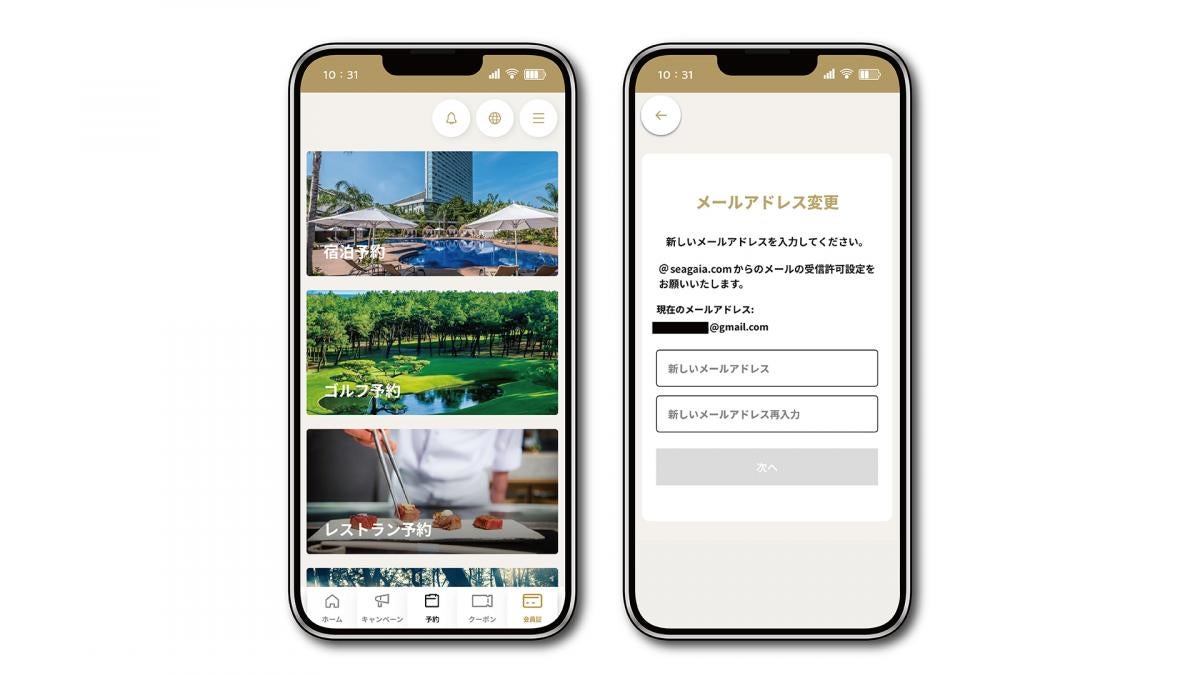
| What are the basic functions of the app? | The main functions are the SPMC digital membership card, congestion status check, reservation function (accommodation/golf/restaurant/activities/ Banyan Tree Spa), and accommodation reservation personal page. |
| Can anyone become an SPMC member through the app? | No. According to SPMC regulations, there is an age limit of 18 years or older. |
| I have already joined SPMC through the app. Can I also get a membership card? | When you sign up for a new membership through the app, only a digital membership card will be issued; no membership card will be issued. |
| I have already joined SPMC and have a membership card. I would also like a digital membership card. What are the options? | You can link your membership card number via the app or member site. |
| I haven't received the verification email. | If you haven't received the verification email, it may be for the following reasons: ・Your registered email address or phone number has changed - Domain rejection or individual email address rejection is set - Spam mail settings and automatic folder sorting settings ・Emails from "@seagaia.com" whose inbox capacity has exceeded *If you would like to correct your email address or phone number, please contact us using the inquiry form. If the problem persists or you would like more information on email settings, please contact the support center of your contracted internet service provider or mobile phone company. |
| Who can I contact for inquiries about the app? | Please contact us using the inquiry form. |