




























































- ①New registration - New members of SPMC
- ② Initial Linking to Member Site - For Members Who Have Already Joined but Have Not Yet Registered Online
- ③ Initial Linking to Member Site - For members who have already joined and registered online (if you know your membership number)
- ④ Initial Linking to the Member Site - For members who have already joined and registered online (if you do not know your membership number)
- ⑤ First-time login to the member site - Members who have already linked their accounts via the app.
- ⑥ First login to the member site - Customers who have newly registered via the app
- ⑦ Second and subsequent logins to the member site
①New registration - New members of SPMC
.jpeg?width=800&quality=80)
Open the SPMC member site and click "Create a new account" > "Not a member".
.jpeg?width=800&quality=80)
Enter your email address ⇒ After checking the terms of use, click "Agree to the terms of use and proceed"
.jpeg?width=800&quality=80)
Enter the verification code sent to the email address you entered and click "Next"
.jpeg?width=800&quality=80)
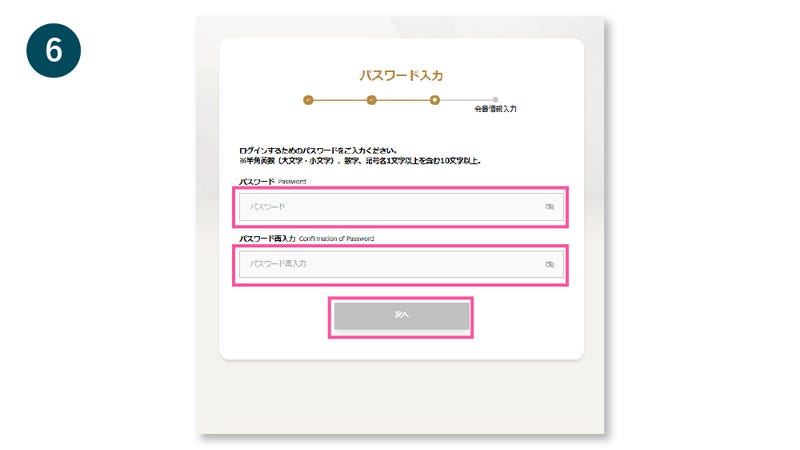
Set a password and click "Next"
.jpeg?width=800&quality=80)
Enter your membership information and click "Next"
.jpeg?width=800&quality=80)
Check the details and click "Register"
.jpeg?width=800&quality=80)
② Initial Linking to Member Site - For Members Who Have Already Joined but Have Not Yet Registered Online
.jpeg?width=800&quality=80)
Open the SPMC member site and click "Create a new account" > "I am already a member".
.jpeg?width=800&quality=80)
Enter your membership number ⇒ After checking the terms of use, click "Agree to the terms of use and proceed"
.jpeg?width=800&quality=80)
Enter the 3-digit PIN code printed on the back of your SPMC membership card and click "Next"
.jpeg?width=800&quality=80)
Enter your email address and click "Next"
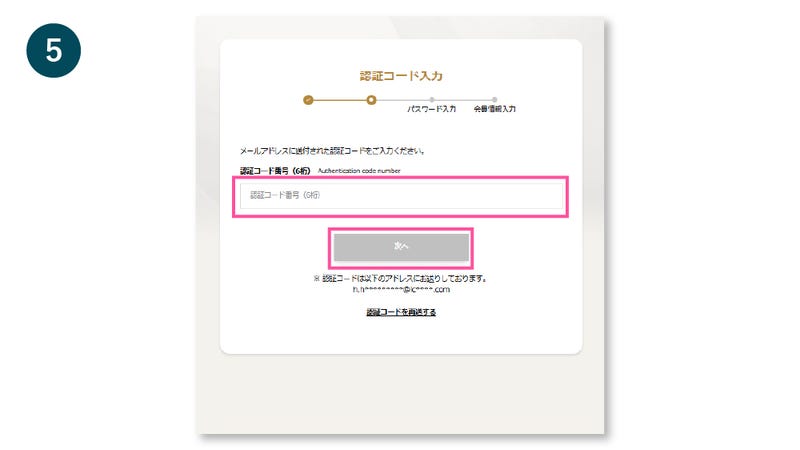
Enter the verification code sent to the email address you entered and click "Next"
Check the details and click "Register"
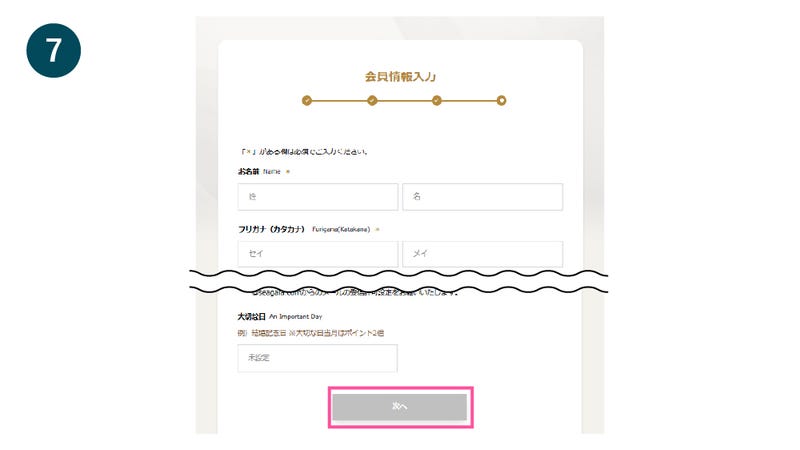
Enter your membership information and click "Next"
.jpeg?width=800&quality=80)
Check the details and click "Register"
③ Initial Linking to Member Site - For members who have already joined and registered online (if you know your membership number)
Open the SPMC member site and click "Create a new account" > "I am already a member".
Enter your membership number ⇒ After checking the terms of use, click "Agree to the terms of use and proceed"
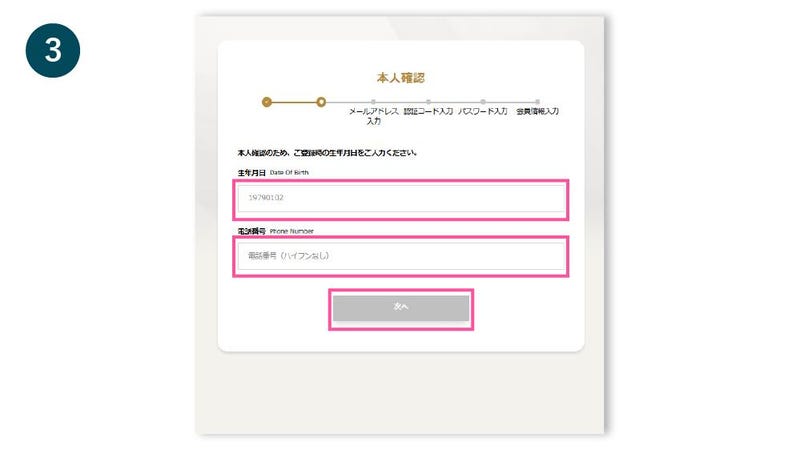
To verify your identity, enter your registered date of birth and phone number and click "Next."
Enter your email address and click "Next"
Enter the verification code sent to the email address you entered and click "Next"
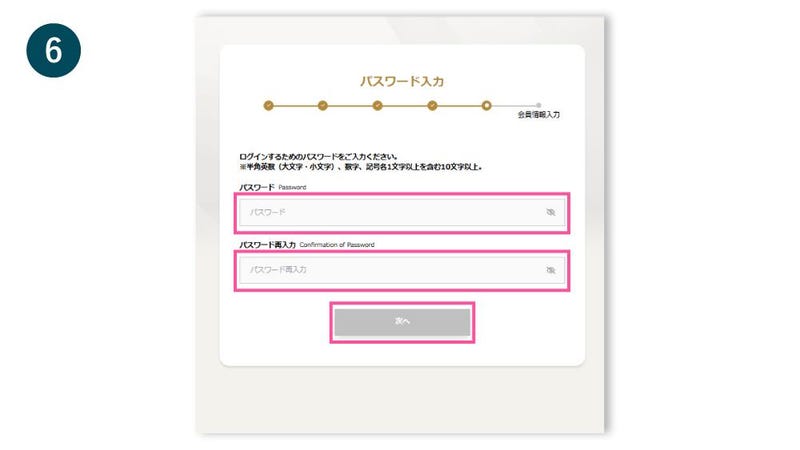
Set a password and click "Next"
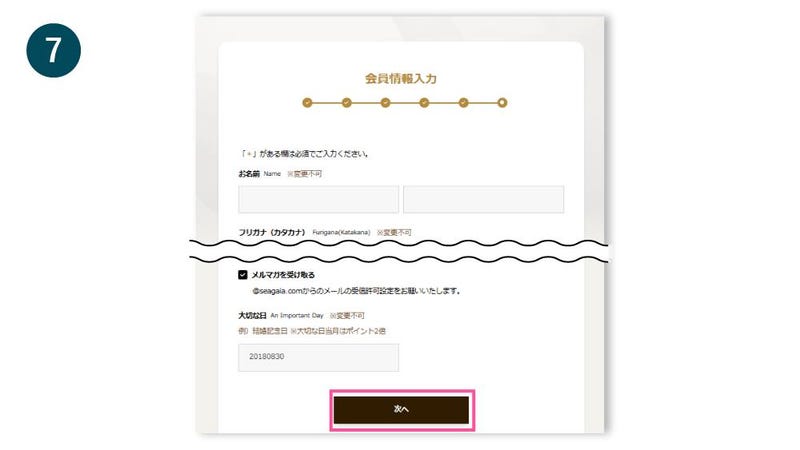
Confirm and enter your membership information and click "Next"
Check the details and click "Register"
④ Initial Linking to the Member Site - For members who have already joined and registered online (if you do not know your membership number)
Open the SPMC member site and click "Create a new account" > "I am already a member".
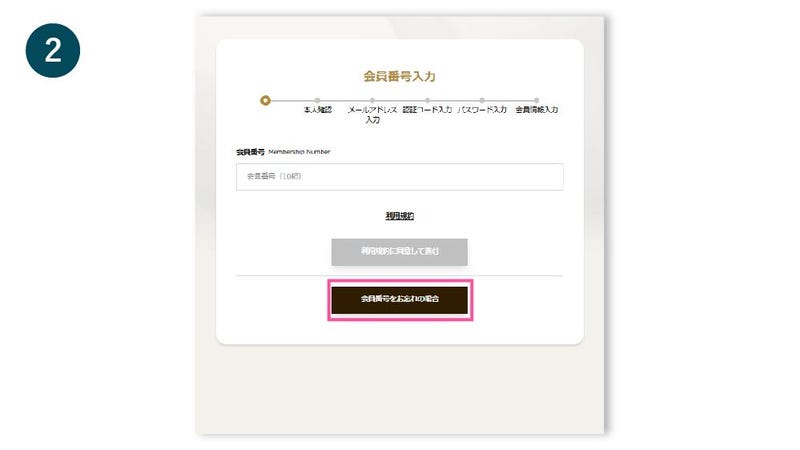
Click on "Forgot your membership number?"
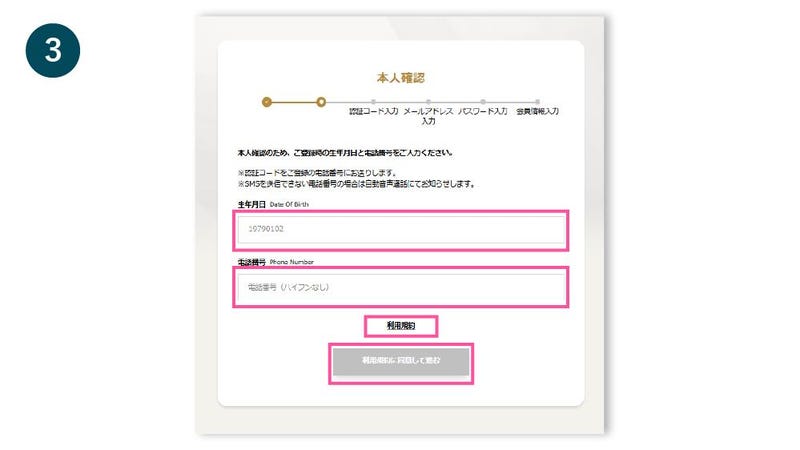
To verify your identity, enter your registered date of birth and phone number ⇒ After checking the terms of use, click "Agree to the terms of use and proceed"
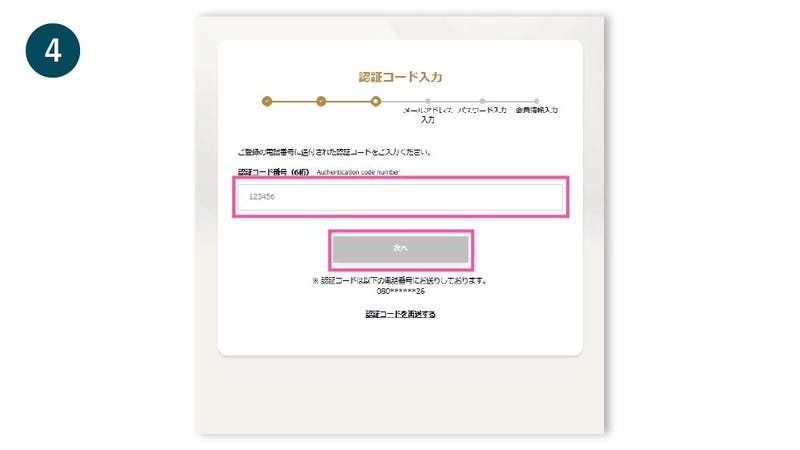
Enter the verification code sent to your registered phone number and click "Next"
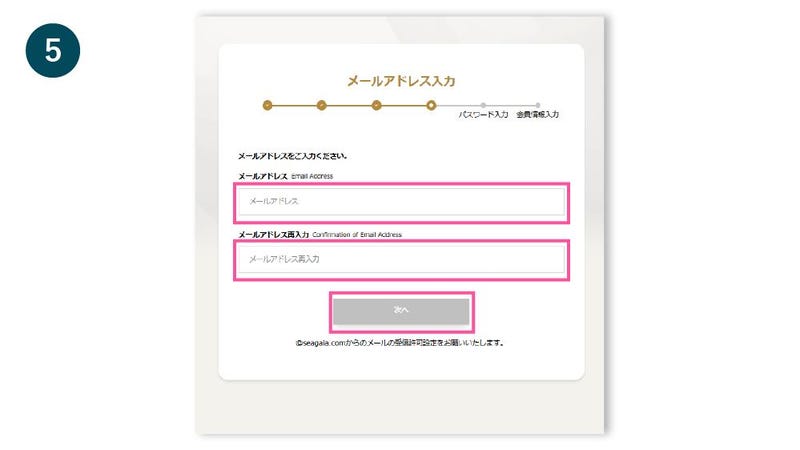
Enter your email address and click "Next"
Set a password and click "Next"
Confirm and enter your membership information and click "Next"
Check the details and click "Register"
⑤ First-time login to the member site - Members who have already linked their accounts via the app.
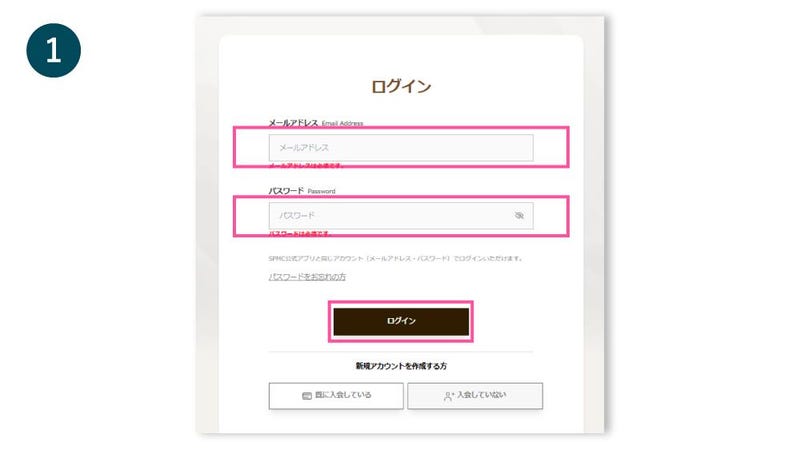
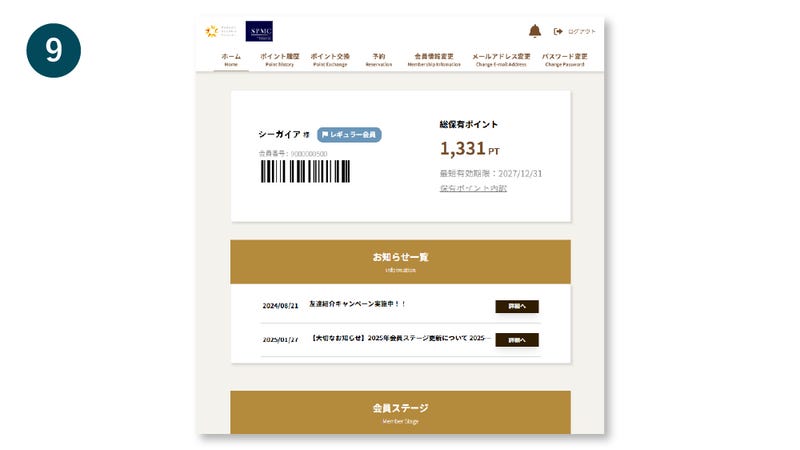
Open the SPMC member site, enter your email address and password, and click "Login".
⑥ First login to the member site - Customers who have newly registered via the app
Open the SPMC member site, enter your email address and password, and click "Login".
⑦ Second and subsequent logins to the member site
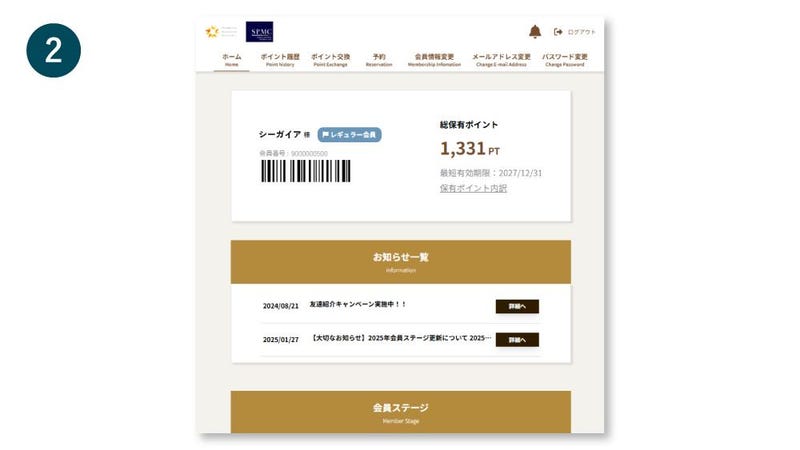
Open the SPMC member site, enter your email address and password, and click "Login".